Summary:
An AI store builder turns weeks of theme-picking, copywriting, and app installs into about four minutes of work. This guide walks the whole build on CreateMyStore, from picking your niche and creating a Shopify account to approving Vitals, choosing products, generating the store, and removing password protection to go live — with 40+ conversion apps already installed.
Most new Shopify stores never make their first sale, and the store itself is usually the reason. Slow pages, no reviews, nothing nudging the shopper to buy.
An AI store builder is the best thing that happened to Shopify merchants. You only need to select your niche, and minutes later you have a beautiful store with product pages built to sell, reviews that build trust, and conversion apps that grow your sales.
In this guide, I'll show you how to build your store with AI Shopify Store Builder in seven steps.
Step 1: Start on CreateMyStore and pick your niche
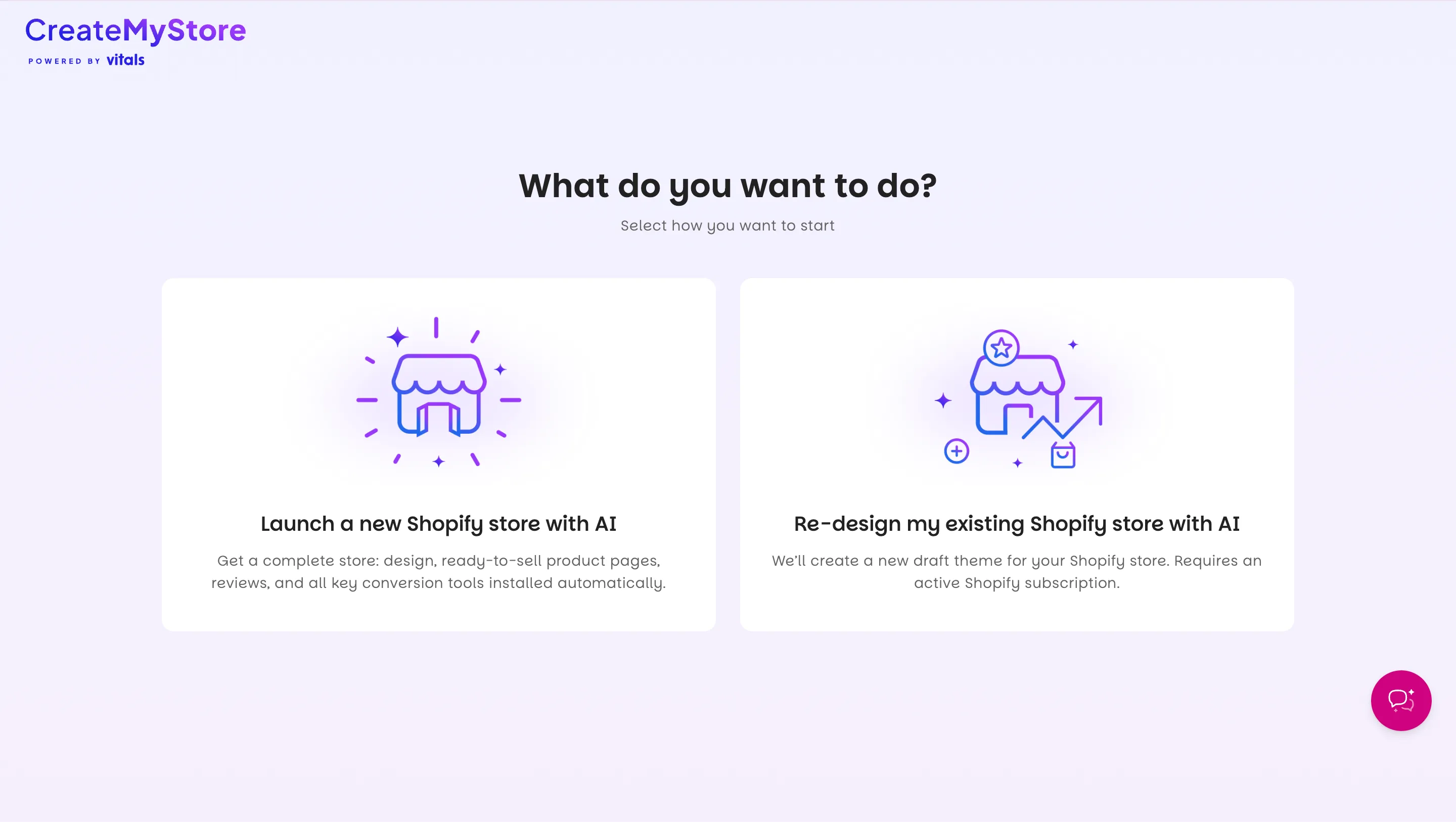
Go to createmystore.ai and choose to create a new Shopify store from scratch. CreateMyStore also has an option for redesigning an existing Shopify store, so pick that one instead if you already have a store live.
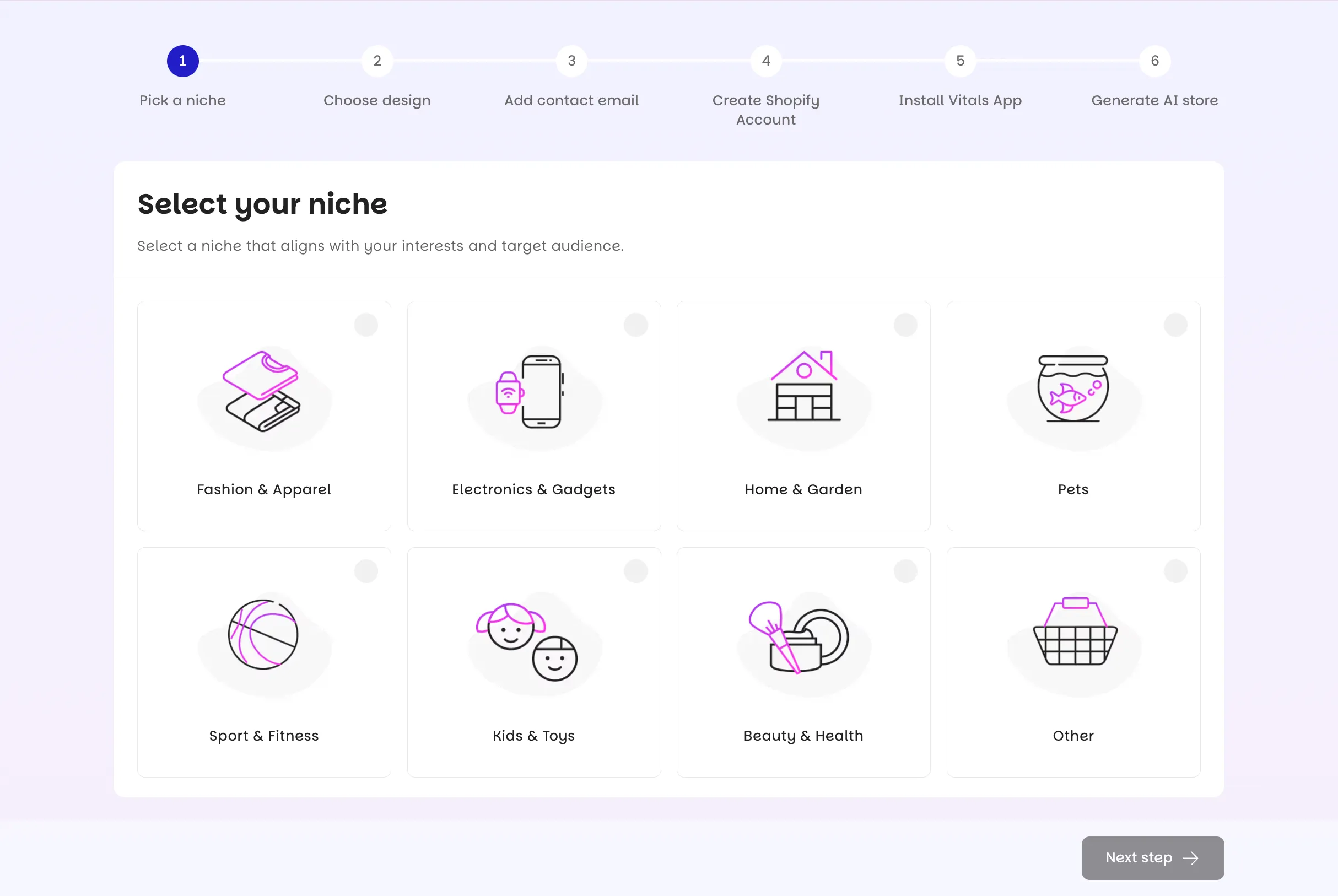
Your niche decides what CreateMyStore builds, so pick it next. CreateMyStore uses the niche to recommend products and to shape the design, the logo, and the homepage banners. You choose from categories like Fashion, Electronics, Pets, Beauty, Sport & Fitness, Kids & Toys, and Home & Garden. Pick Other if nothing fits or you haven't decided yet.
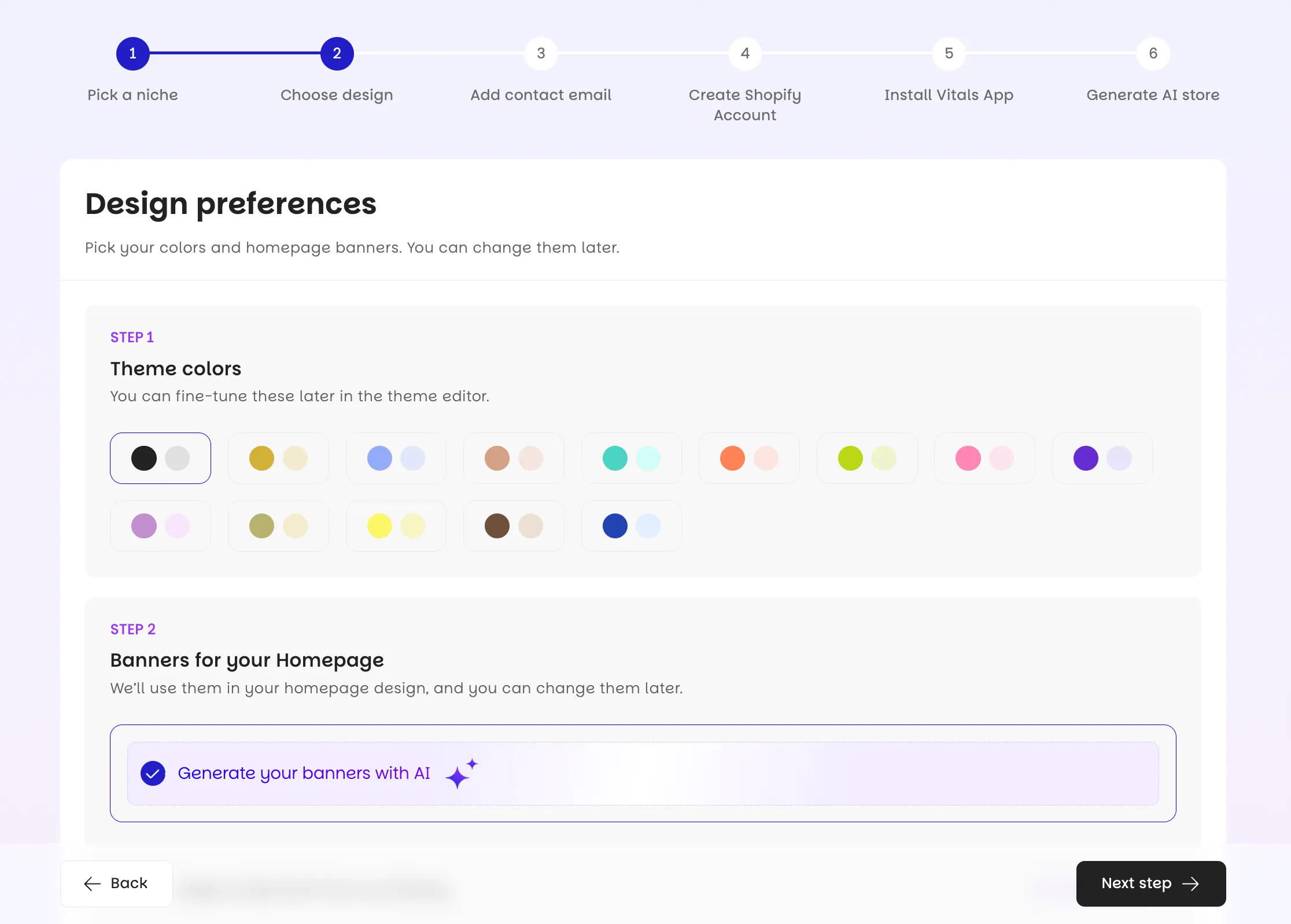
Next you choose how the store looks. CreateMyStore generates the theme, the logo, and hero banners to match the niche, so a pet store gets pet imagery without you uploading anything. I picked Jewelry, and the banners came back matched to it. Don't agonize over the banners, because you can change them later in the Theme Editor while the rest of the design stays put.
Step 2: Create your Shopify account
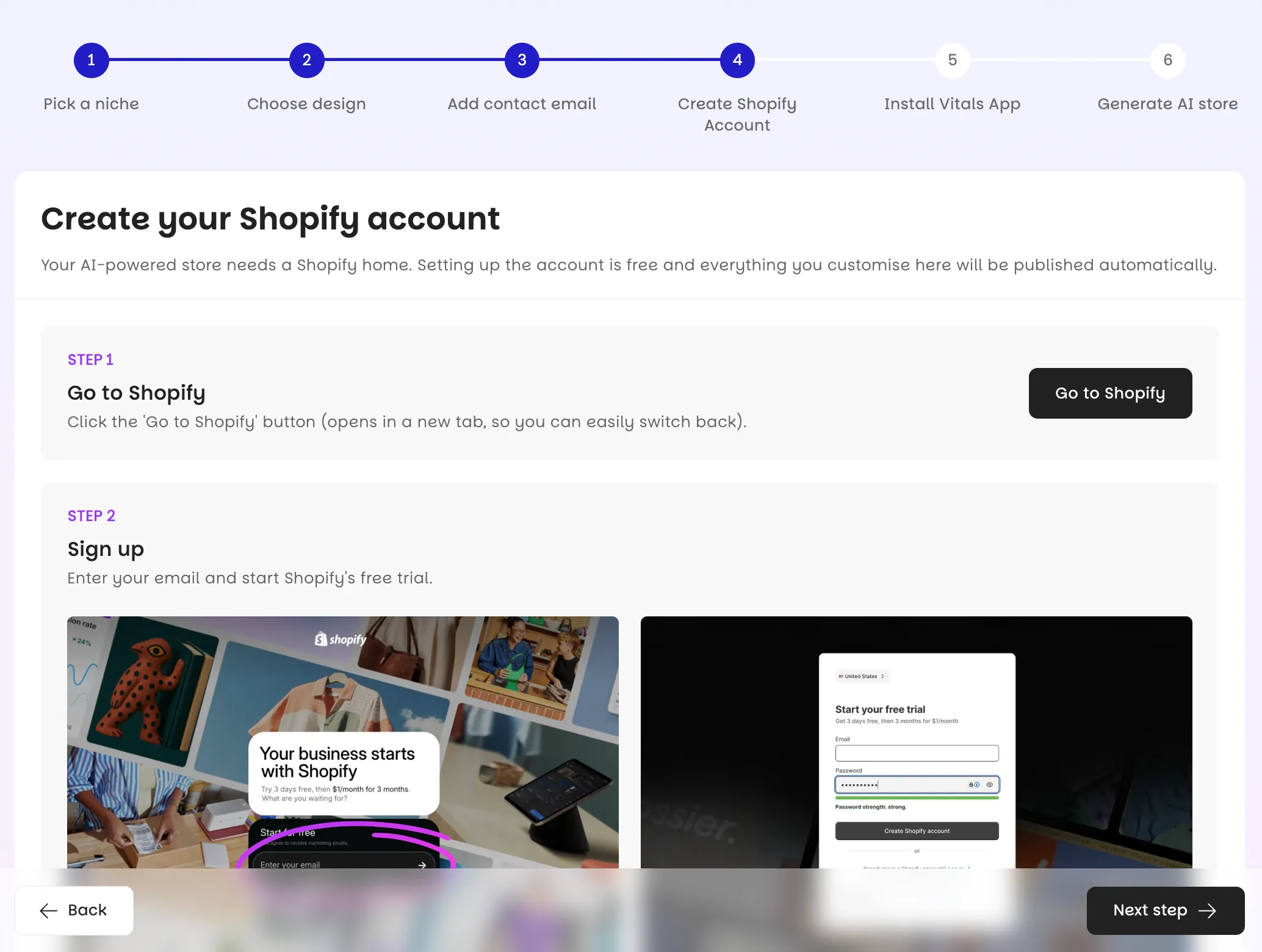
Shopify hosts your store, so CreateMyStore walks you through creating a Shopify account next. Shopify is the platform your store lives on. It handles the hosting, the checkout, and the payments, and CreateMyStore builds everything on top of it.
Shopify gives you a 3-day free trial, then charges $1/month for the first three months. The Basic plan covers everything a new store needs.
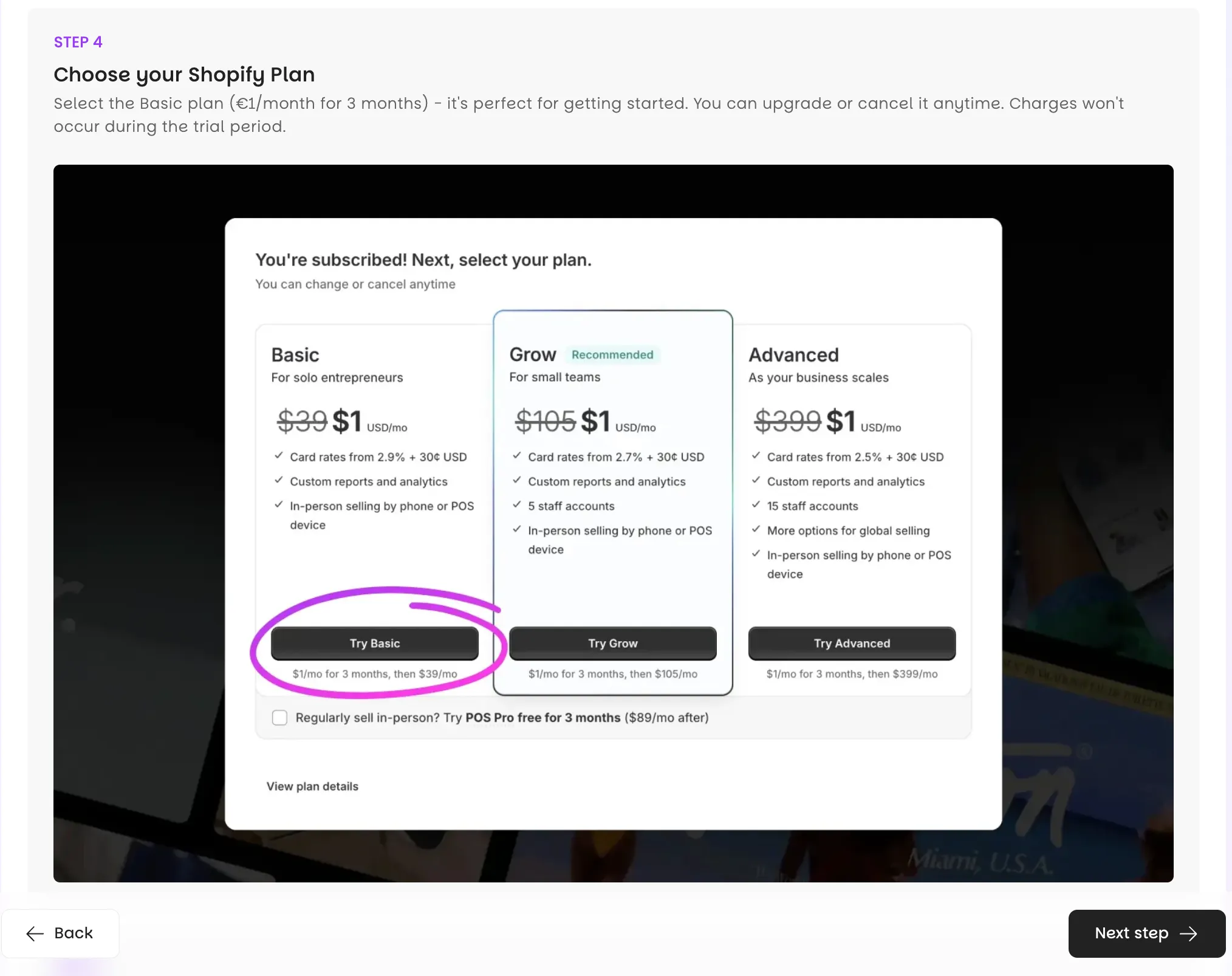
You add card details, a business address, and a phone number when you sign up. Shopify keeps the card on file and charges nothing when you create the store. Skip Shopify's own setup questionnaire, since CreateMyStore does that work for you.
Step 3: Install Vitals and approve the plan
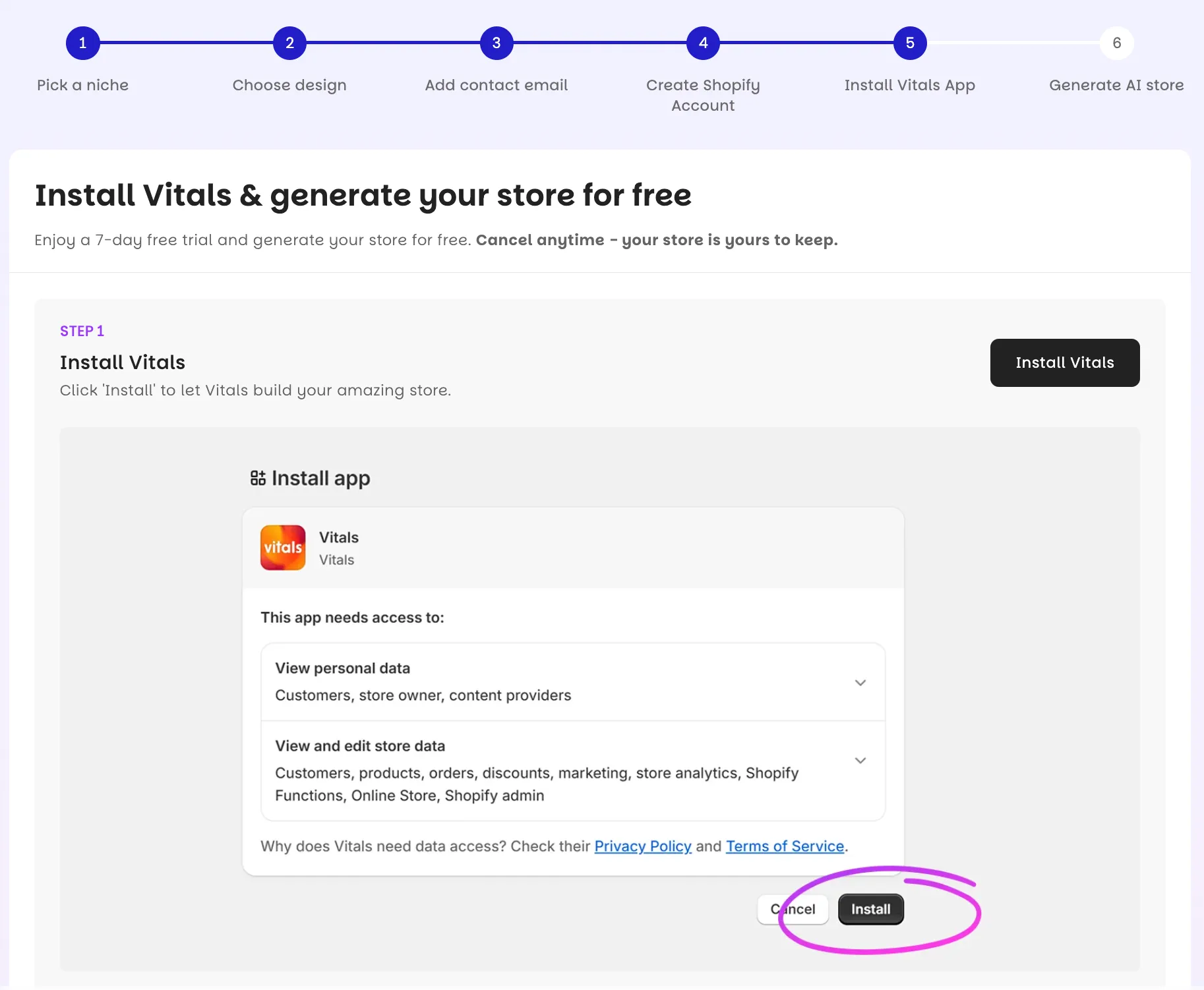
CreateMyStore installs Vitals next, since Vitals provides the 40+ conversion apps your store launches with. Vitals is an all-in-one Shopify app used by 30,000+ merchants, and the apps range from Product Reviews and Product Bundles to email capture popups and countdown timers. That's one app, one dashboard, and one subscription instead of six or eight separate apps each charging their own fee.
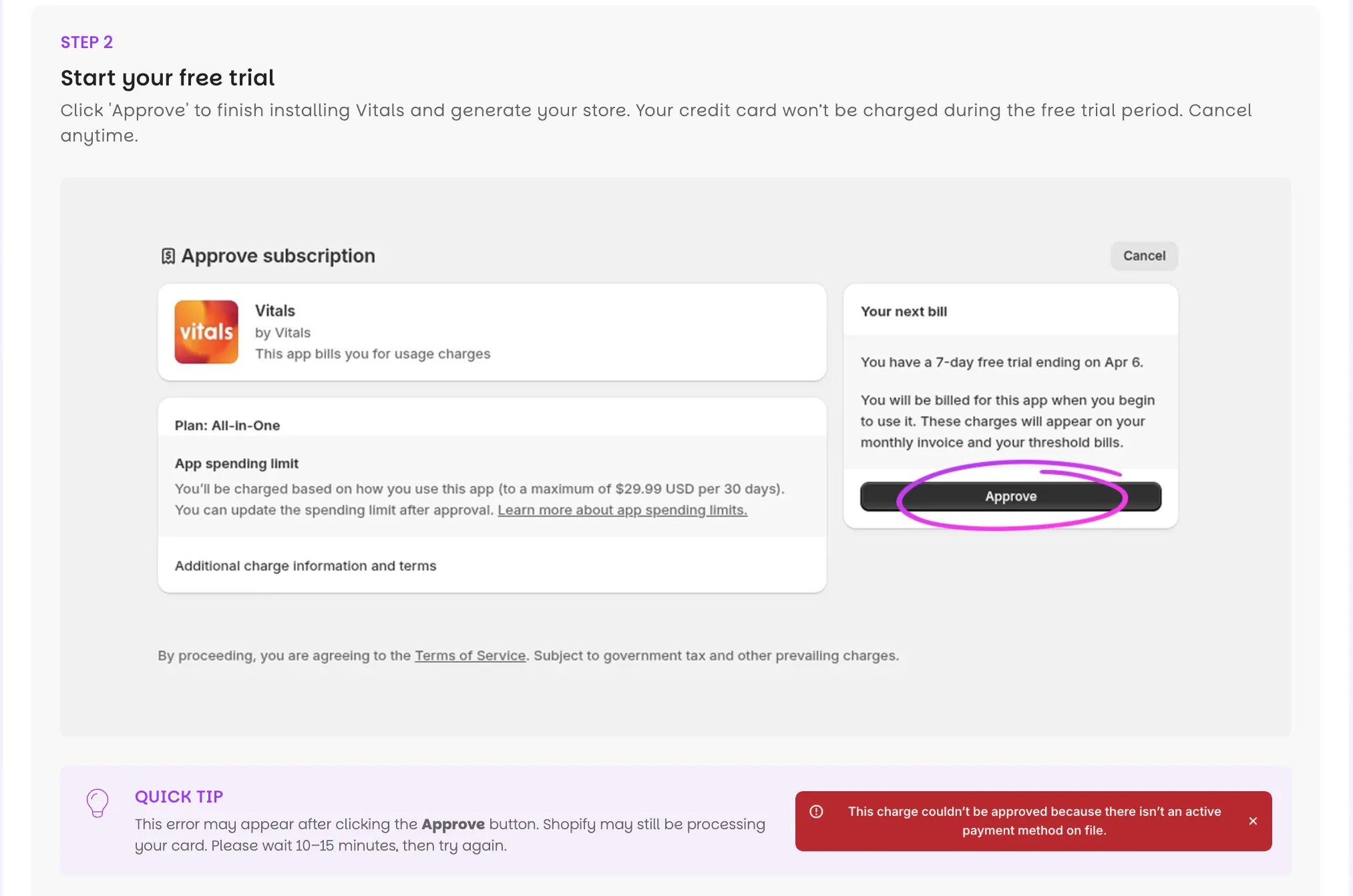
Vitals gives you a 7-day free trial, charges $1 for the first paid month, then costs $29.99/month. You can cancel anytime, and the generated store stays yours even if you do.
If Shopify shows a "missing card on file" message when you approve the plan, Shopify is still processing your card. Wait 10 to 15 minutes and try again.
Step 4: Choose your products
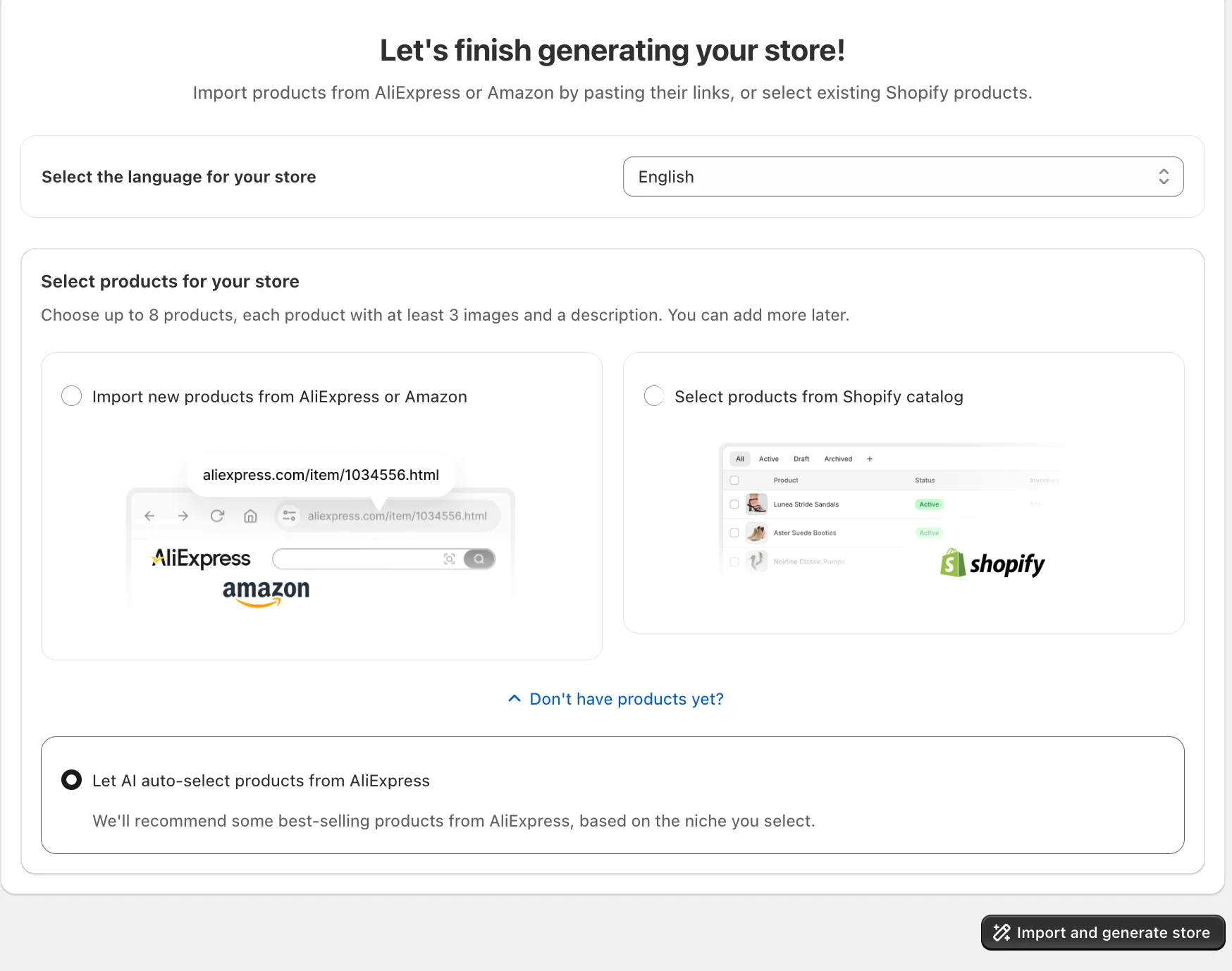
CreateMyStore gives you three ways to choose products, and each fits a different starting point. Paste AliExpress product links if you know what you want to sell. AliExpress is the supplier marketplace most dropshippers source from, and CreateMyStore pulls each product's images, variants, and base details straight from the link. Use your existing Shopify catalog if you already have products. Or let CreateMyStore recommend eight products vetted for your niche if you don't know what to sell yet.
I pasted eight AliExpress links, which is the route CreateMyStore recommends.
CreateMyStore also suggests a selling price for every product based on its cost, so you launch with margins built in instead of guessing what to charge.
Step 5: Generate your store
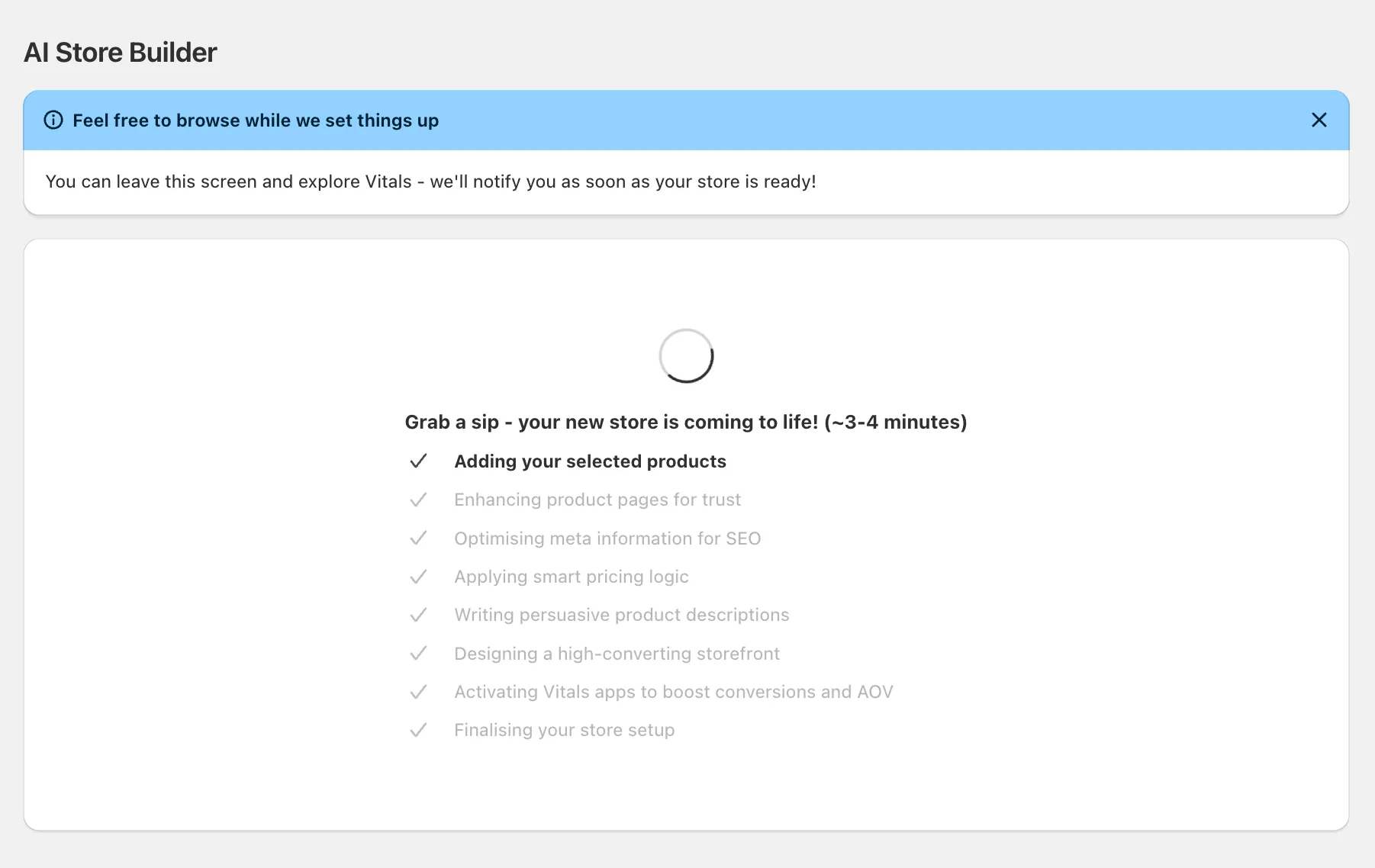
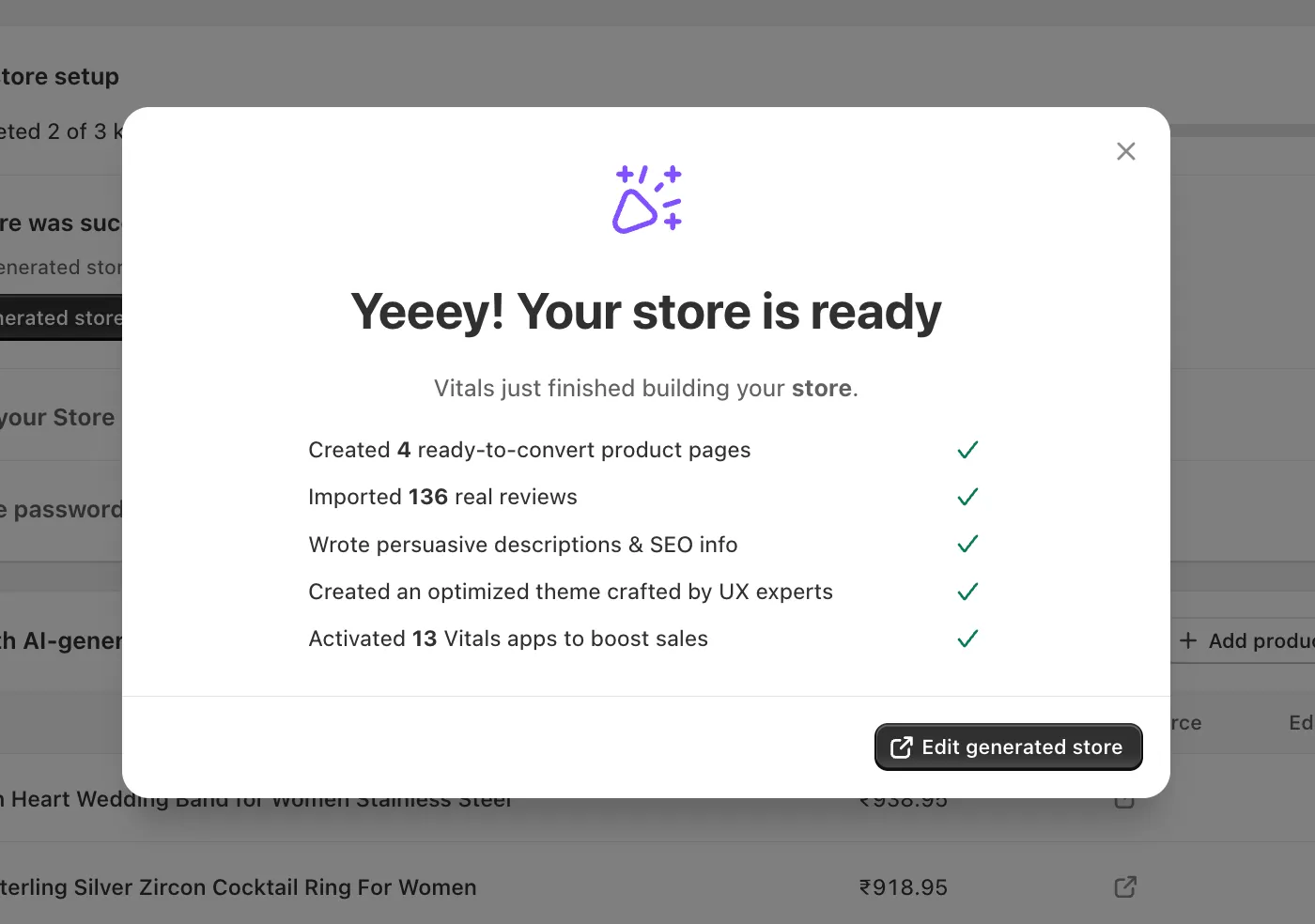
Click Generate Store, and CreateMyStore builds everything at once. My store was ready in about four minutes.
The loading screen narrates the work while you wait. CreateMyStore imports your products, writes their titles and descriptions, and adds SEO metadata so search engines can find each page. It designs the product page structure, imports the customer reviews, creates the bundle offers, and configures the Vitals apps, including the email capture popup and the trust elements shoppers see near checkout.
Don't close the tab while the store builds. If your store isn't ready after ten minutes, refresh the page.
Step 6: Review your store
Open the storefront preview and walk a product page the way a shopper would, because every element on it has a selling job. The rewritten title tells shoppers what the product is in plain words. The description sells benefits, and benefit sections below it show why the product improves the buyer's life.
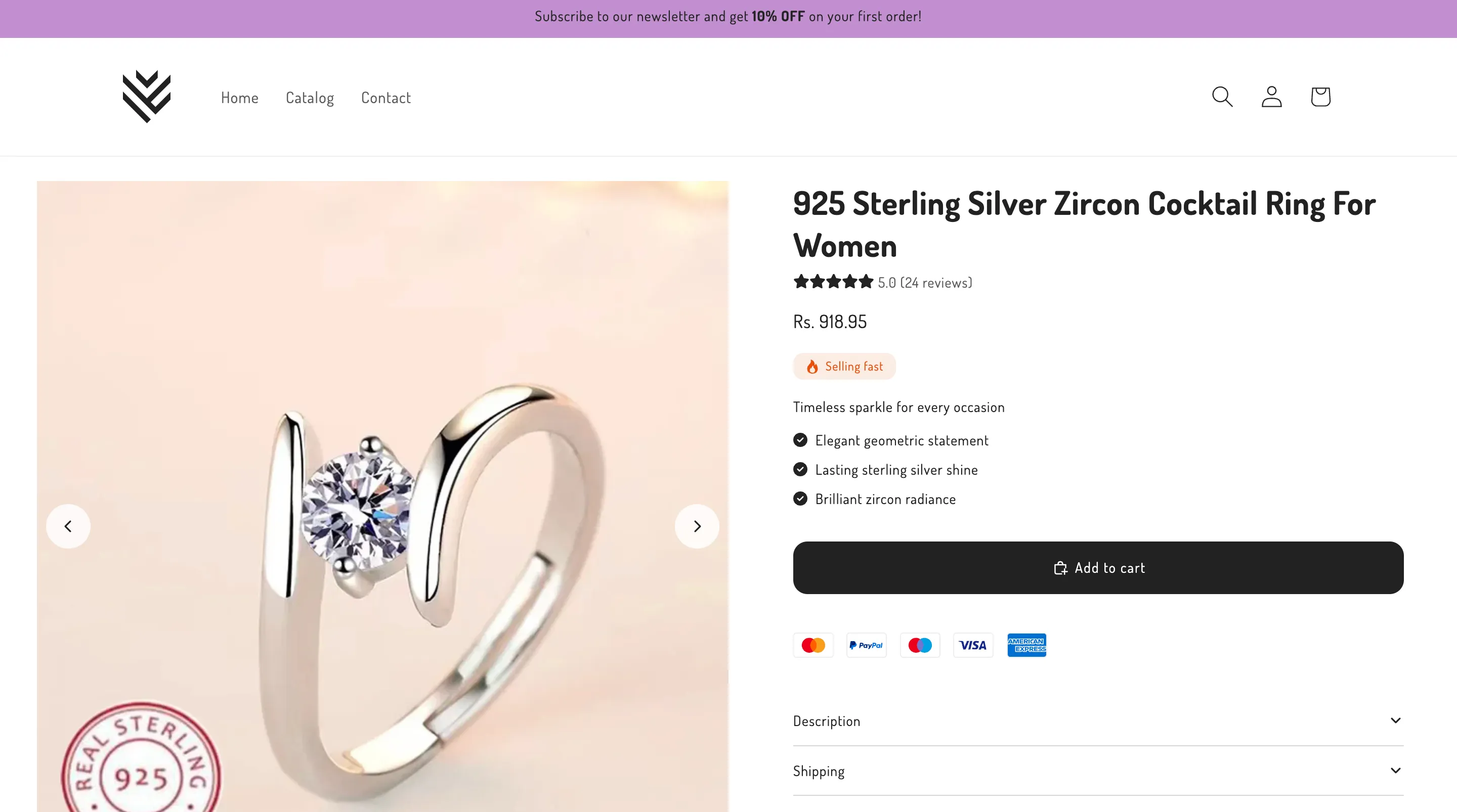
Keep scrolling and the conversion elements follow. The bundle offer suggests related products, which raises your average order value when shoppers take it. The product-specific FAQ answers objections before they become abandoned carts. Payment logos reassure shoppers the checkout is safe, and the sticky add-to-cart bar keeps the buy button on screen as they scroll, which matters most on mobile.
Then open the same product on AliExpress and compare. The raw listing has a long, keyword-stuffed title and a thin description. The generated page reads like a store you'd buy from.
Step 7: Grow the store after launch
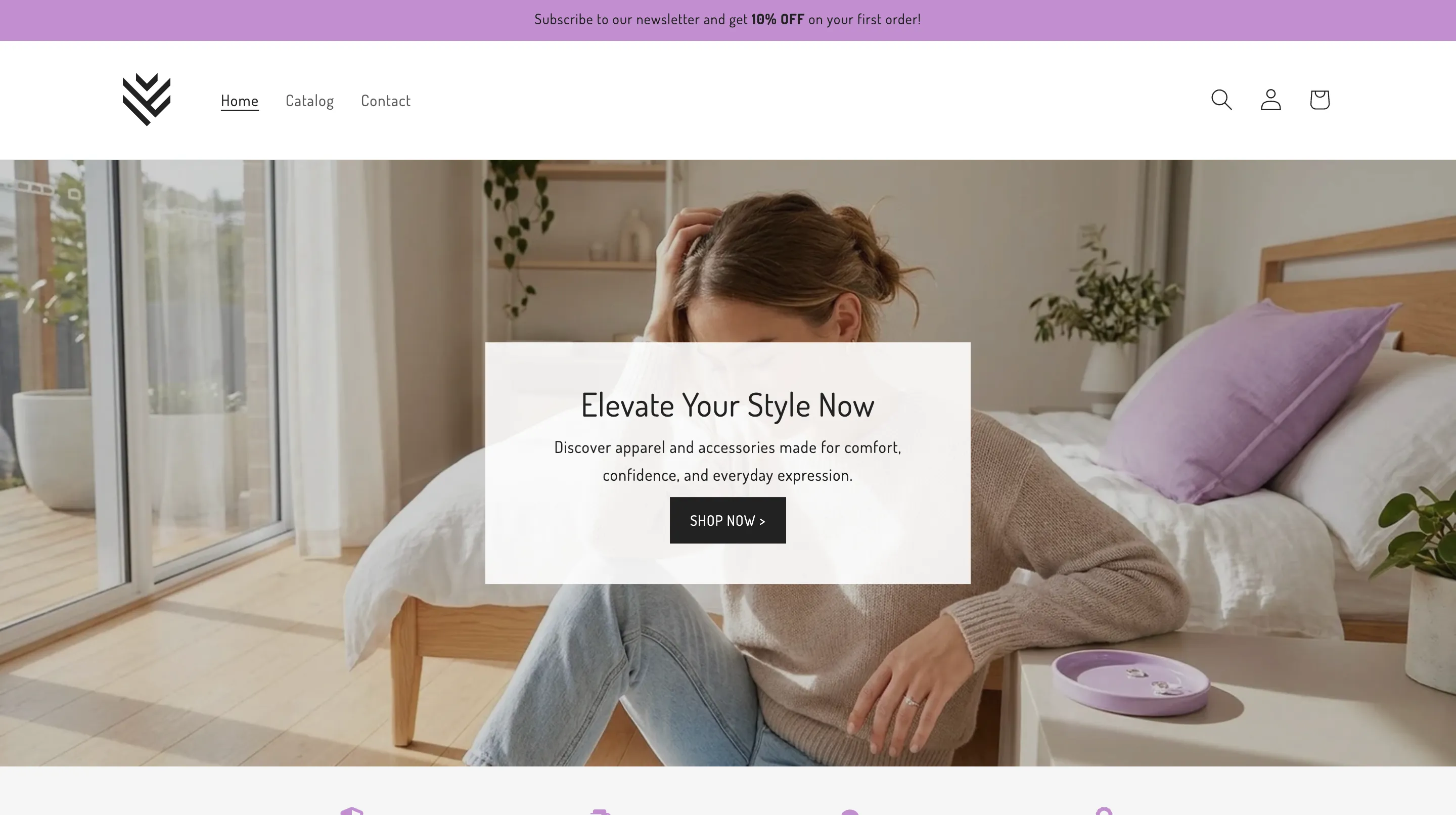
Go live by removing password protection. In Shopify admin, open Online Store, then Preferences, and uncheck the password restriction. Add a custom domain under Settings, then Domains, if you want one.
From there, the store grows with what's already installed. With Vitals, you can import new products from AliExpress or Amazon through the AI Product Page Generator, and each import comes with rewritten copy, its own reviews, and a page that matches the rest of your store. You can collect and manage reviews, and create product images and video ads with Vitals' AI Marketing Studio.
Final thoughts
Setting up your store used to be the filter that decided who got to sell online. Weeks of picking a theme, writing product pages, and setting up apps stopped more stores than bad products ever did. An AI store builder removes that filter. CreateMyStore builds the store for free, writes the pages, and installs the conversion apps in about four minutes, and what's left is the work of choosing products, testing offers, and improving your pages.
Frequently asked questions about building your Shopify store with an AI store builder
What is the best AI store builder for Shopify?
The best AI store builder for Shopify is CreateMyStore, because it installs the conversion apps other AI store builders leave for you to add yourself. Along with the store itself, you get eight products, imported reviews, and 40+ Vitals conversion apps, including Product Reviews, Product Bundles, email popups, and countdown timers.
Can AI really build a Shopify store that sells?
Yes. CreateMyStore builds product pages on conversion rules from Baymard-certified UX designers, preloads real customer reviews, and installs the apps that do the selling work, including bundle offers that raise average order value, email popups that capture leads, and countdown timers that create urgency. Selling still depends on your product choice and your marketing, so treat the generated store as a strong starting point rather than a finished business.
How much does it cost to build a Shopify store with AI?
Building the store with CreateMyStore costs nothing. You pay for two subscriptions afterward. Shopify gives you 3 free days, then charges $1/month for the first three months. Vitals gives you a 7-day free trial, charges $1 for the first paid month, then costs $29.99/month. You add a card to start, and neither company charges you when you create the store.
How long does it take to build a Shopify store with AI?
Building a Shopify store with an AI store builder takes about four minutes, from clicking Generate Store to a finished storefront.
Do I need technical or design skills?
No. You pick a niche and a look, and CreateMyStore designs the store, writes the copy, and sets up the apps. Everything stays editable afterward, without code.
Can I customize the store after the AI builds it?
You can customize everything after the AI builds it. Edit product text and images in the Shopify Product Editor, and edit layout and design in the Shopify Theme Editor. The store behaves like any other Shopify store.
Can I add my own products?
Yes. Paste an AliExpress or Amazon link and CreateMyStore imports the product with rewritten copy and reviews, or add products manually in Shopify. You can also remove any of the eight preloaded products.
Do I keep full ownership of the store?
You keep 100% ownership. CreateMyStore takes no commission and no cut of your sales, and the store stays yours even if you cancel Vitals.
Create my FREE store