Summary:
You can build your first Shopify store with a Shopify AI store builder in seven steps, from picking a niche to going live — no design skills or code required. CreateMyStore creates the complete store for free, with eight products, sales copy, real customer reviews, and 40+ Vitals conversion apps installed, so you launch the same day and start selling.
Building your first Shopify store is a long list of decisions you've never made before. Which theme, which products, what to write on a product page, which apps you actually need.
A Shopify AI store builder makes those decisions for you. You only need to pick the category you want to build your store in, and AI will create a beautiful Shopify store with products, written descriptions, and customer reviews on every product page. You can launch it the same day and start selling.
Here's a step by step guide to build your store using a Shopify AI store builder.
Key takeaways
- You can build your first Shopify store with CreateMyStore: Shopify AI store builder for free, no design skills or code required.
- CreateMyStore, the free Shopify AI store builder builds the complete Shopify store with eight products, sales copy, real customer reviews, and 40+ conversion apps bundled in to increase average order value and sales.
How to build your first store with a Shopify AI store builder
You can build your first Shopify store with a Shopify AI store builder in seven steps, from picking a category to going live.
1. Pick your niche and store design
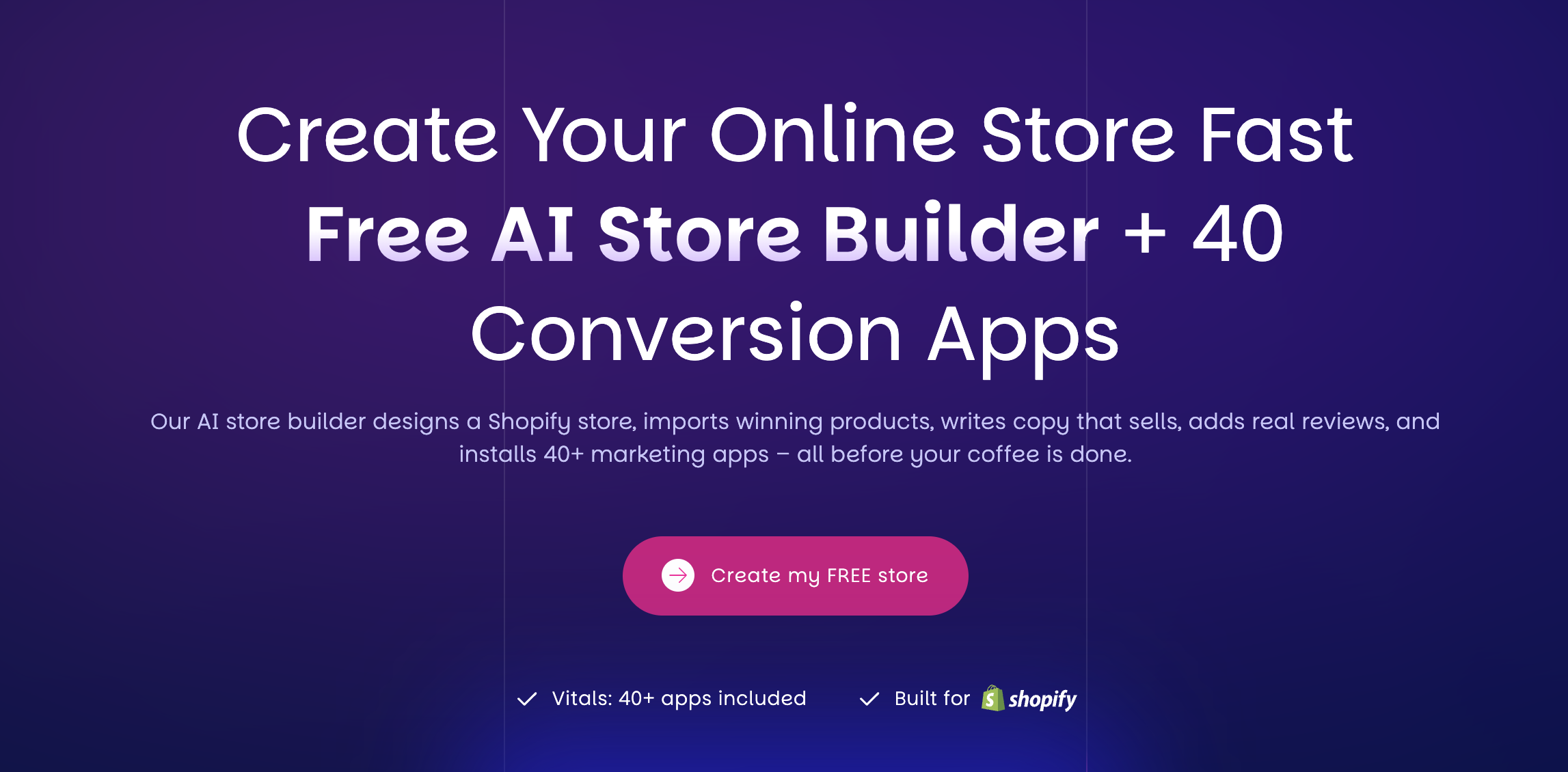
Go to CreateMyStore and click Create my FREE store. The first screen asks whether you want a new Shopify store or a redesign of a store you already own. Choose the new-store option, since this is your first store.
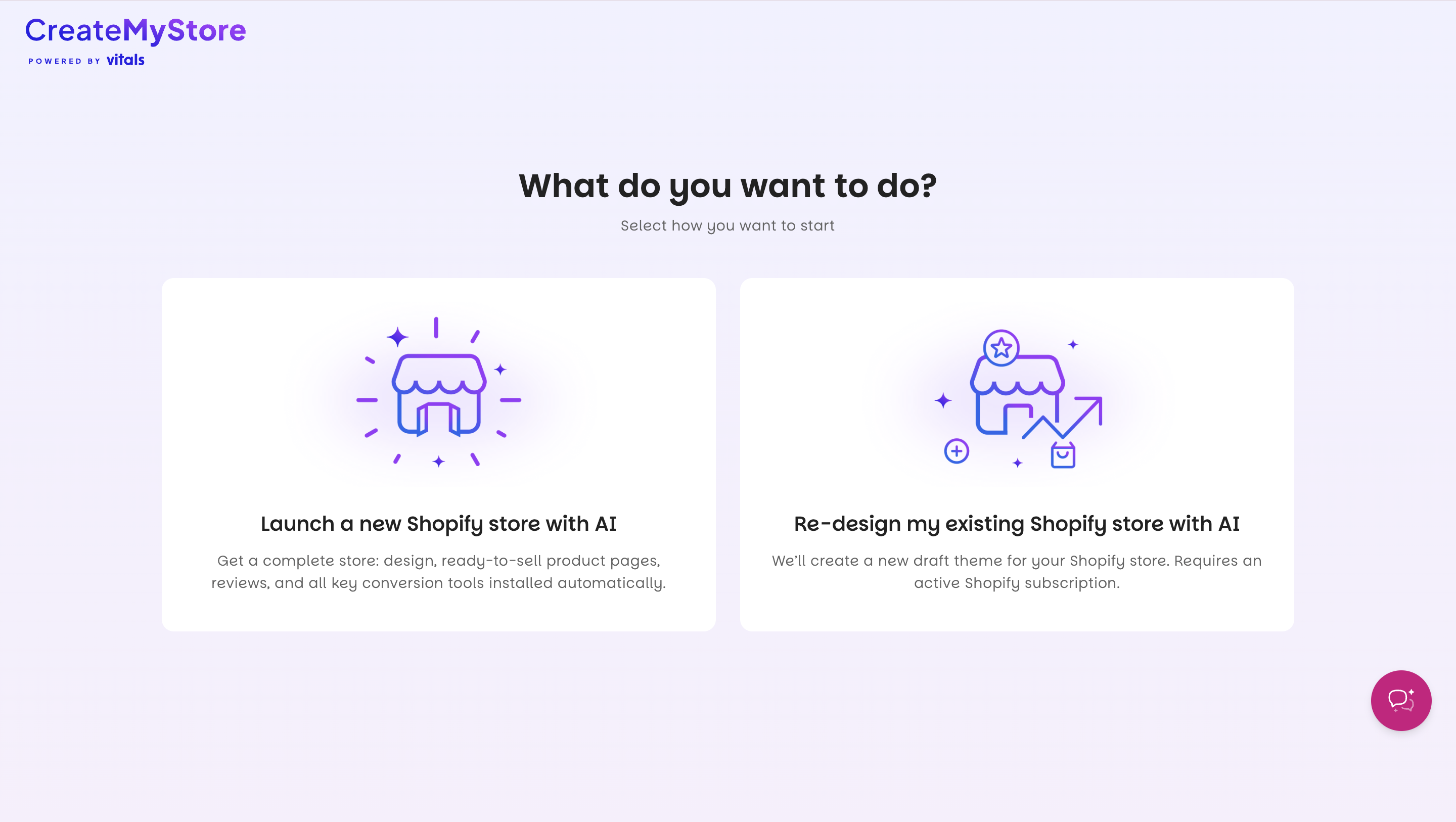
Pick a niche next. You can choose Fashion, Electronics, Pets, Beauty, Kids & Toys, Home & Garden, or Sport & Fitness, and Other covers anything else. Your niche decides which products the AI recommends and how it designs your store.
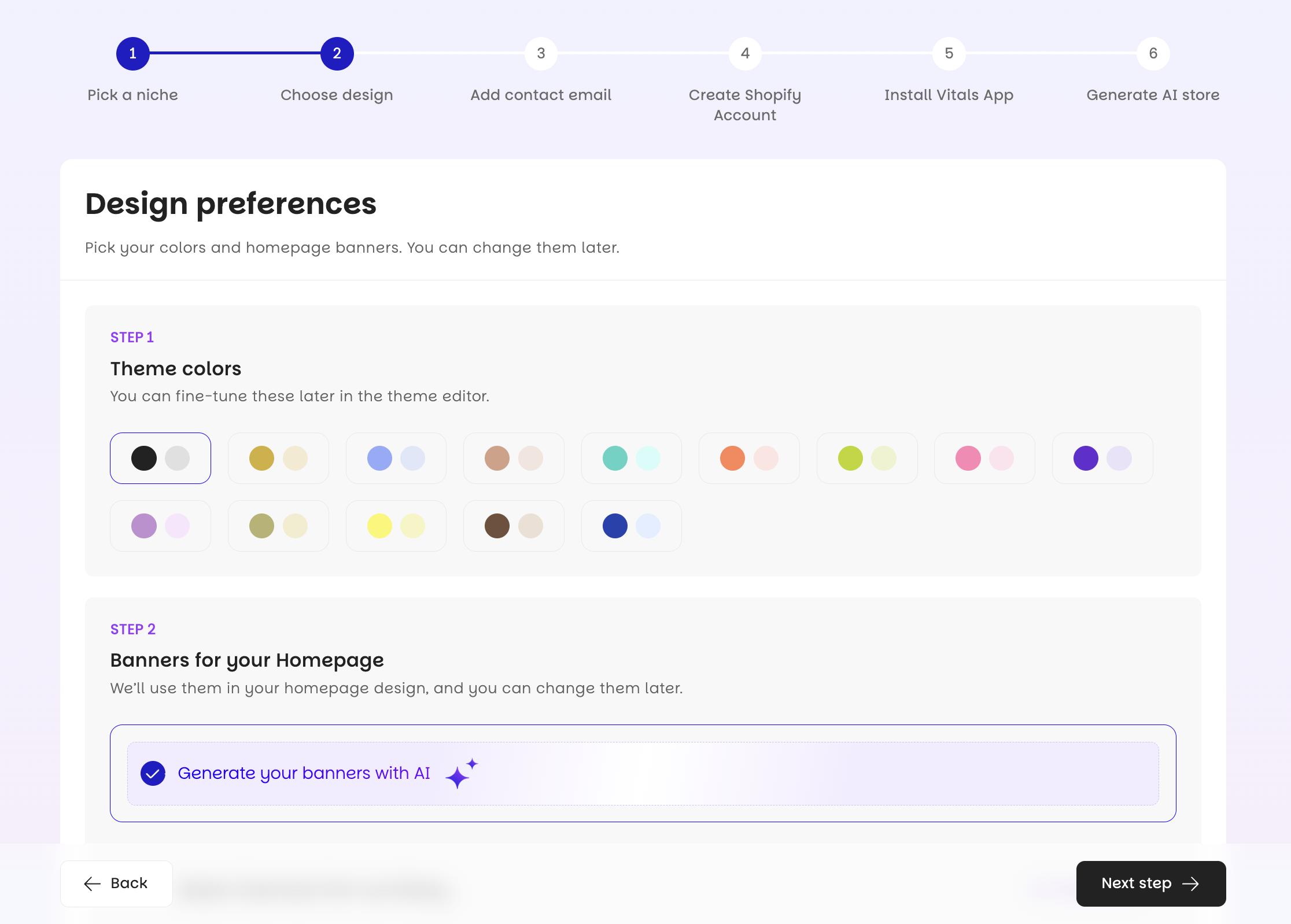
Then choose your theme color and aesthetics. Next choose your homepage banners or select generate your banners with AI, the large images shoppers see first. Generate banners with AI creates images that match your niche. You can swap them later in the Theme Editor, so don't spend long on this screen.
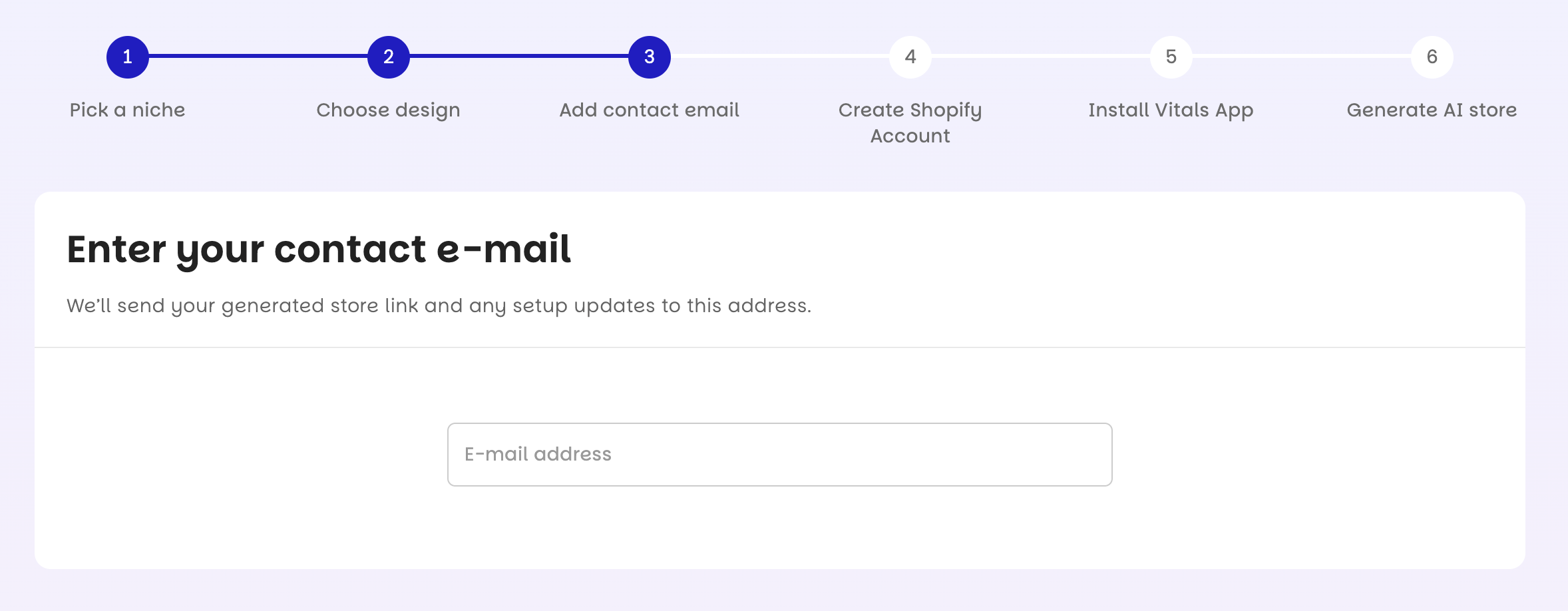
Enter your email before you continue. CreateMyStore sends your finished store's link to that address.
2. Create your Shopify account
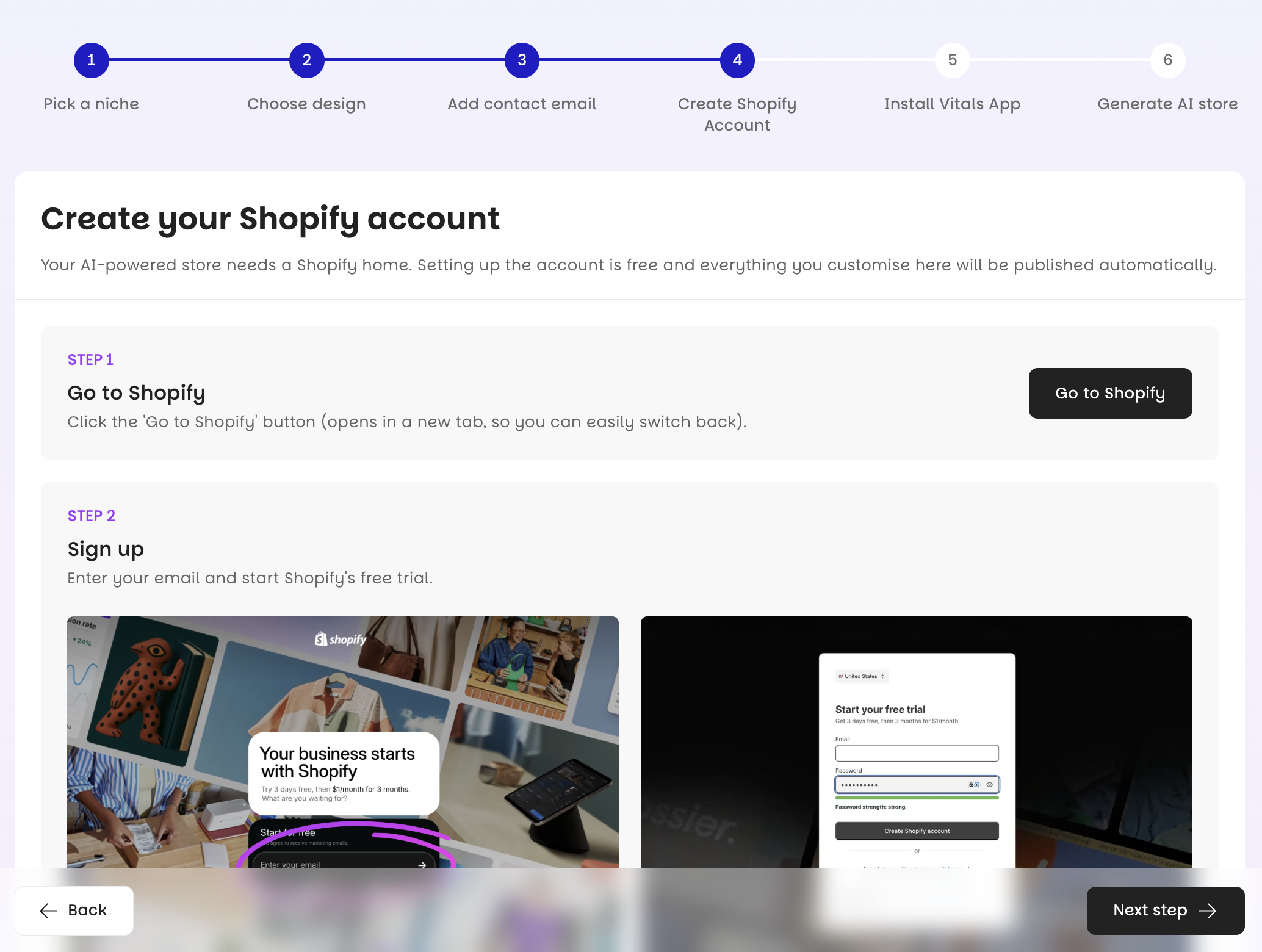
Your store needs Shopify to host it, and the Basic plan is enough to start.
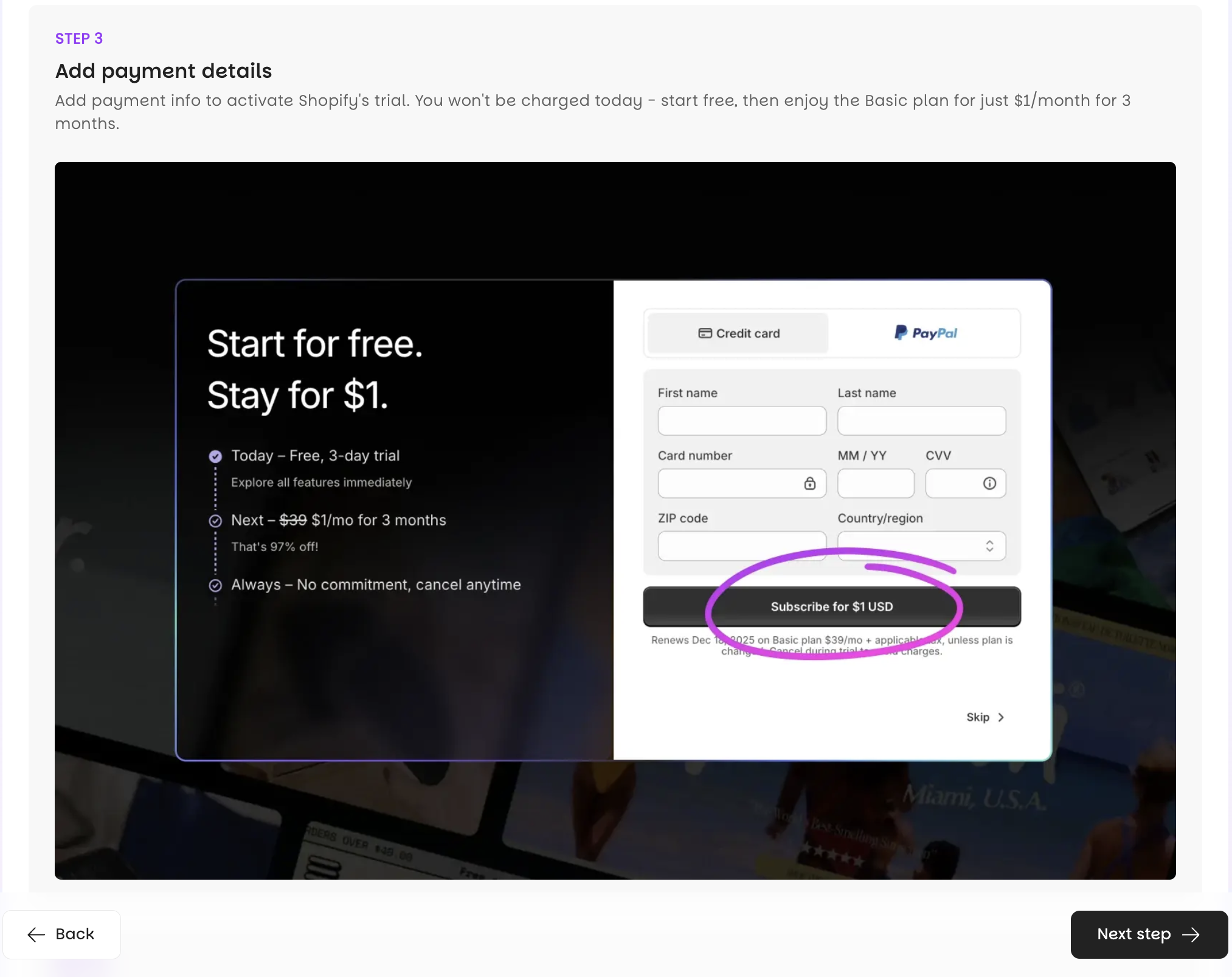
Shopify gives you a three-day free trial, then charges $1/month for the first three months.
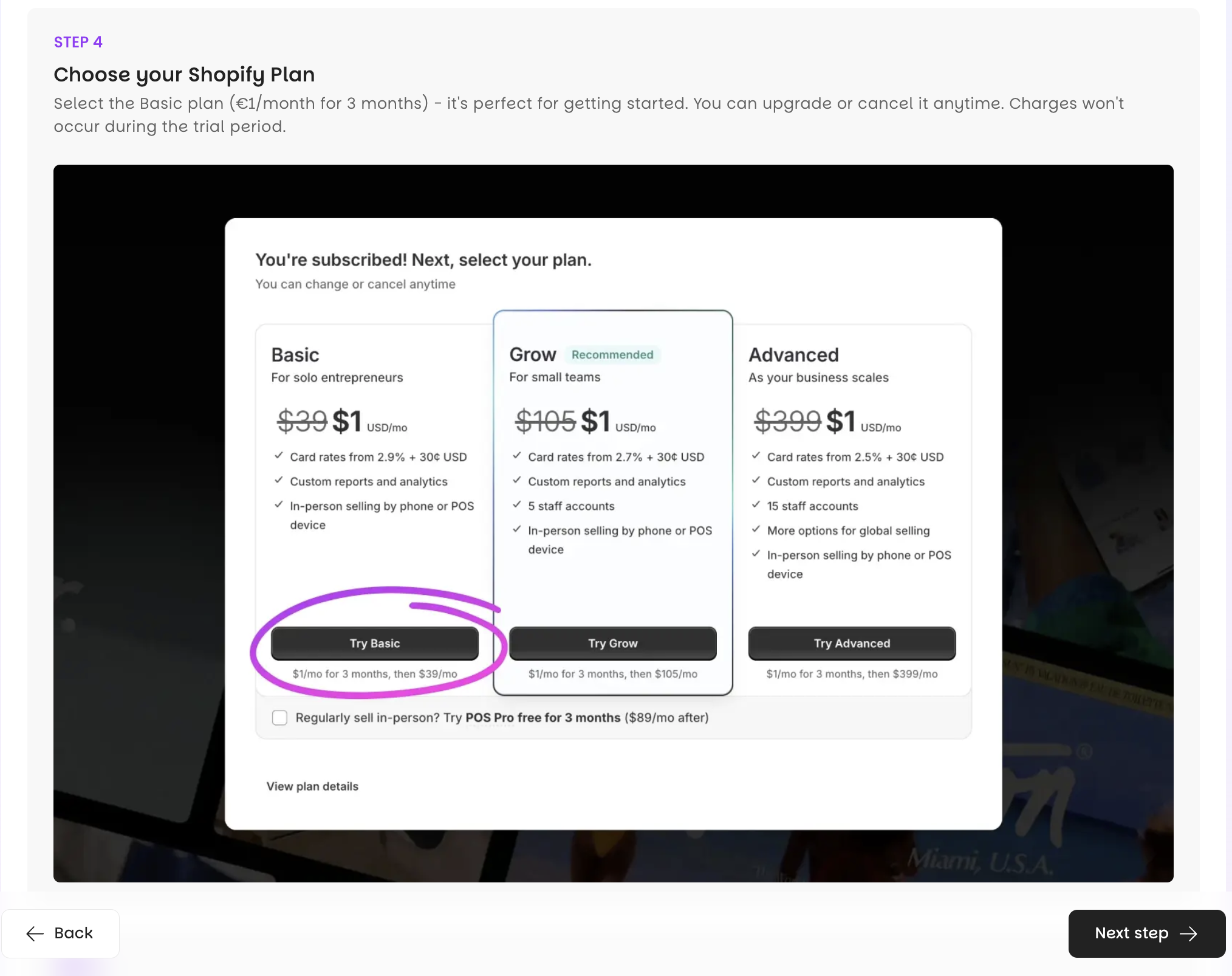
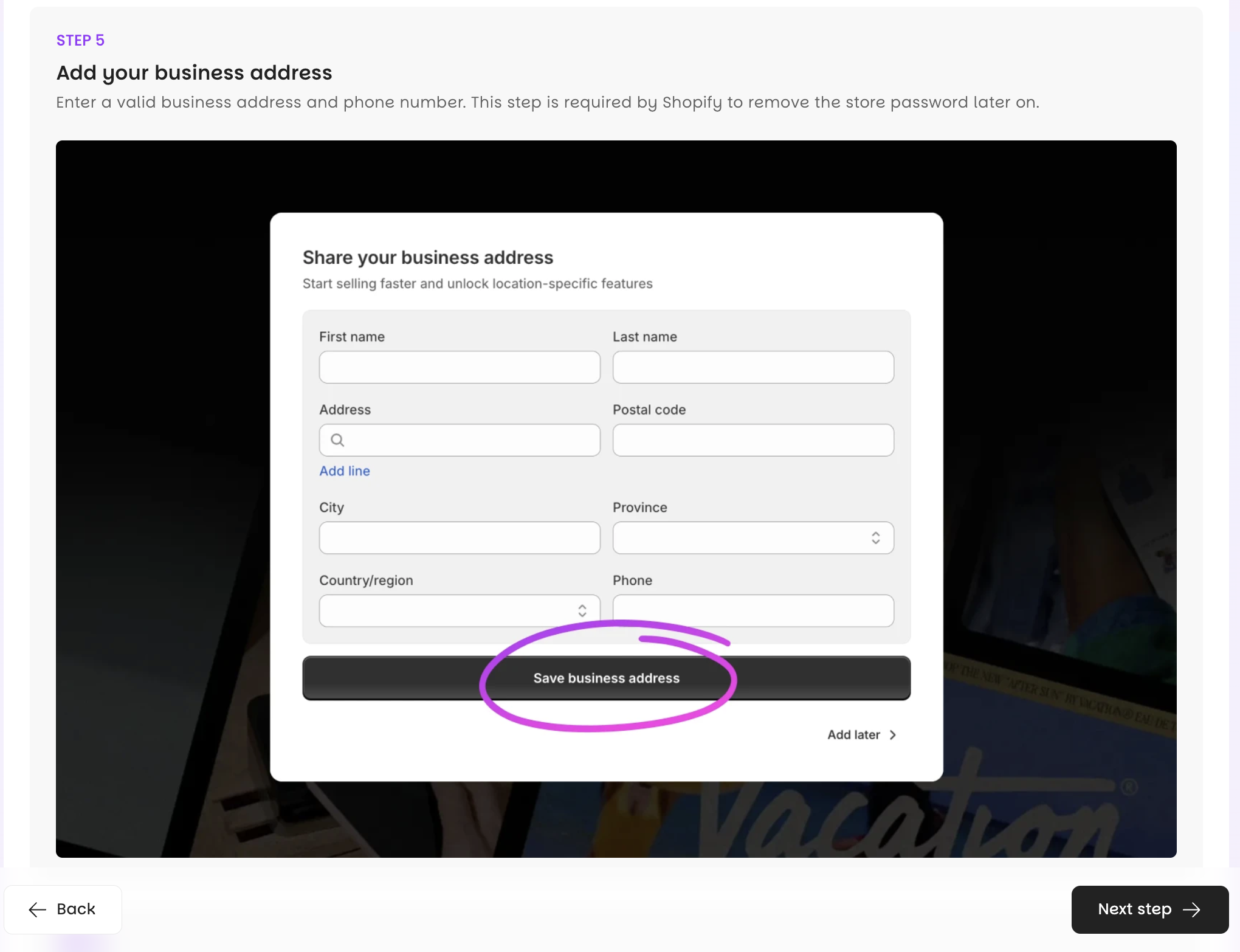
Add your credit card, business address, and phone number when Shopify asks. Shopify won't charge you today.
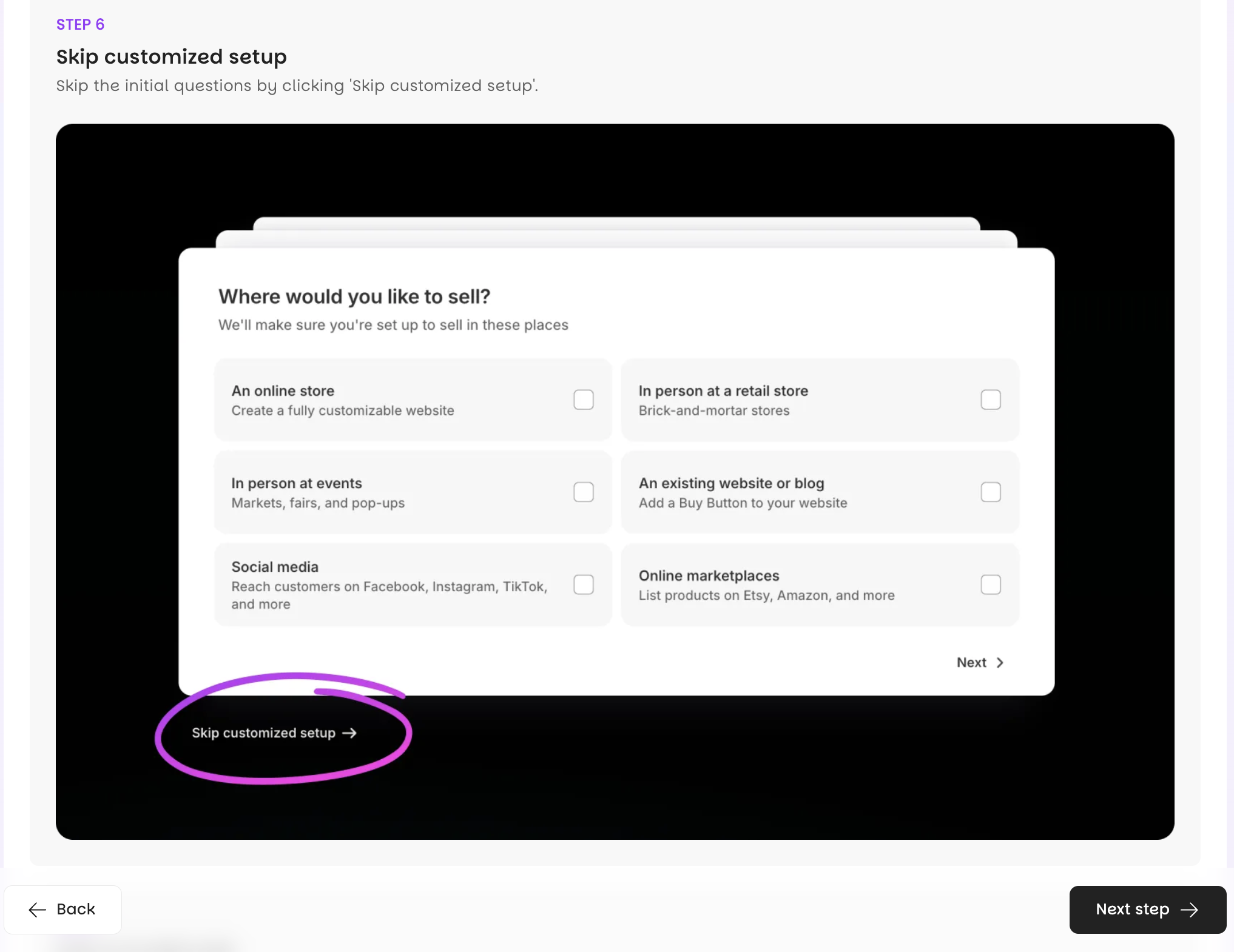
Shopify then offers its own guided setup questions. You can skip them and continue.
3. Install Vitals and approve the plan
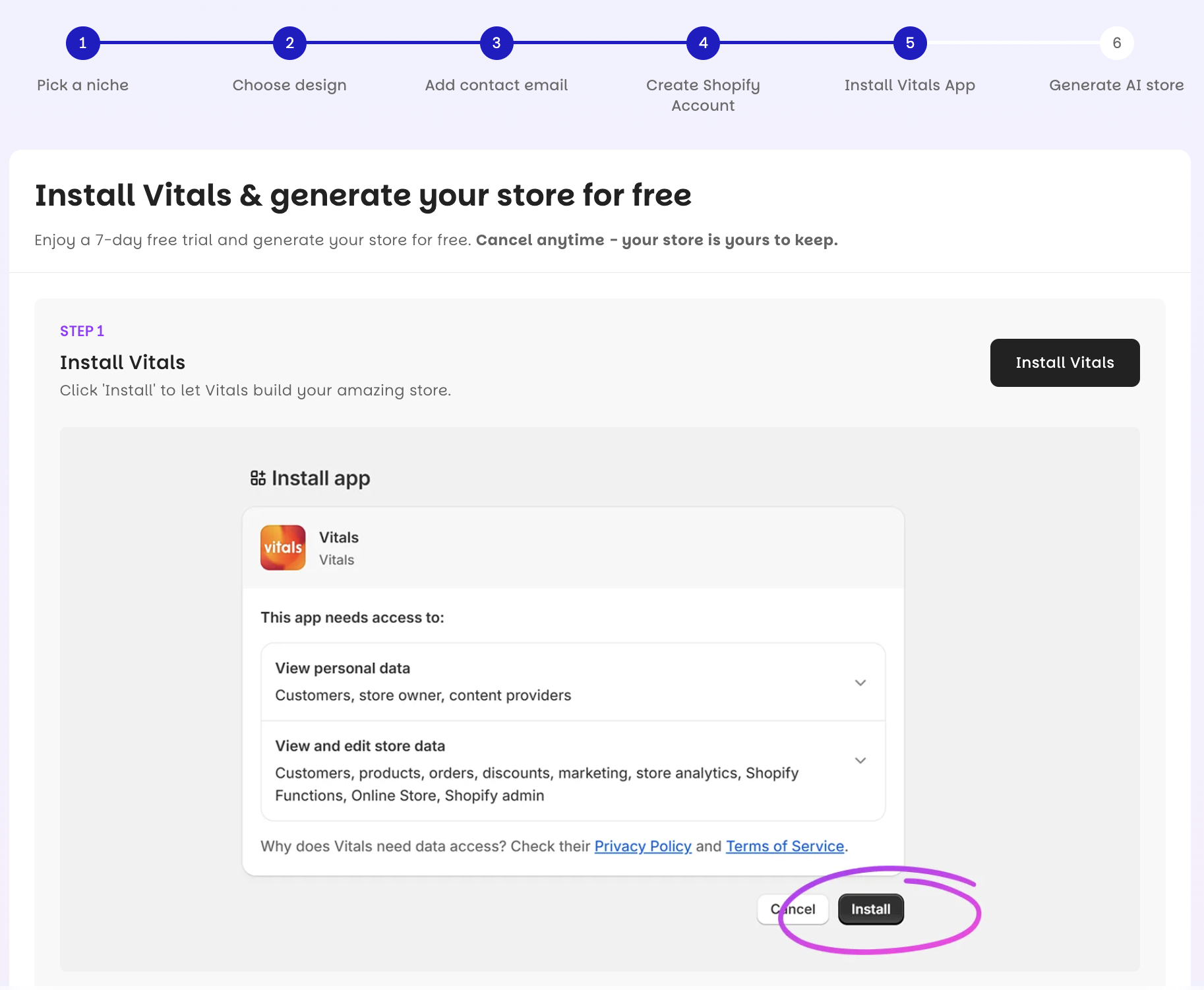
Vitals is the all-in-one Shopify app behind your store's 40+ conversion apps, from reviews to upsells to countdown timers. Approve the Vitals plan when Shopify prompts you.
You get a seven-day free trial, then pay $1 for your first month, then $29.99/month. Vitals won't charge you today either. You can cancel anytime, and your store stays yours after you do.
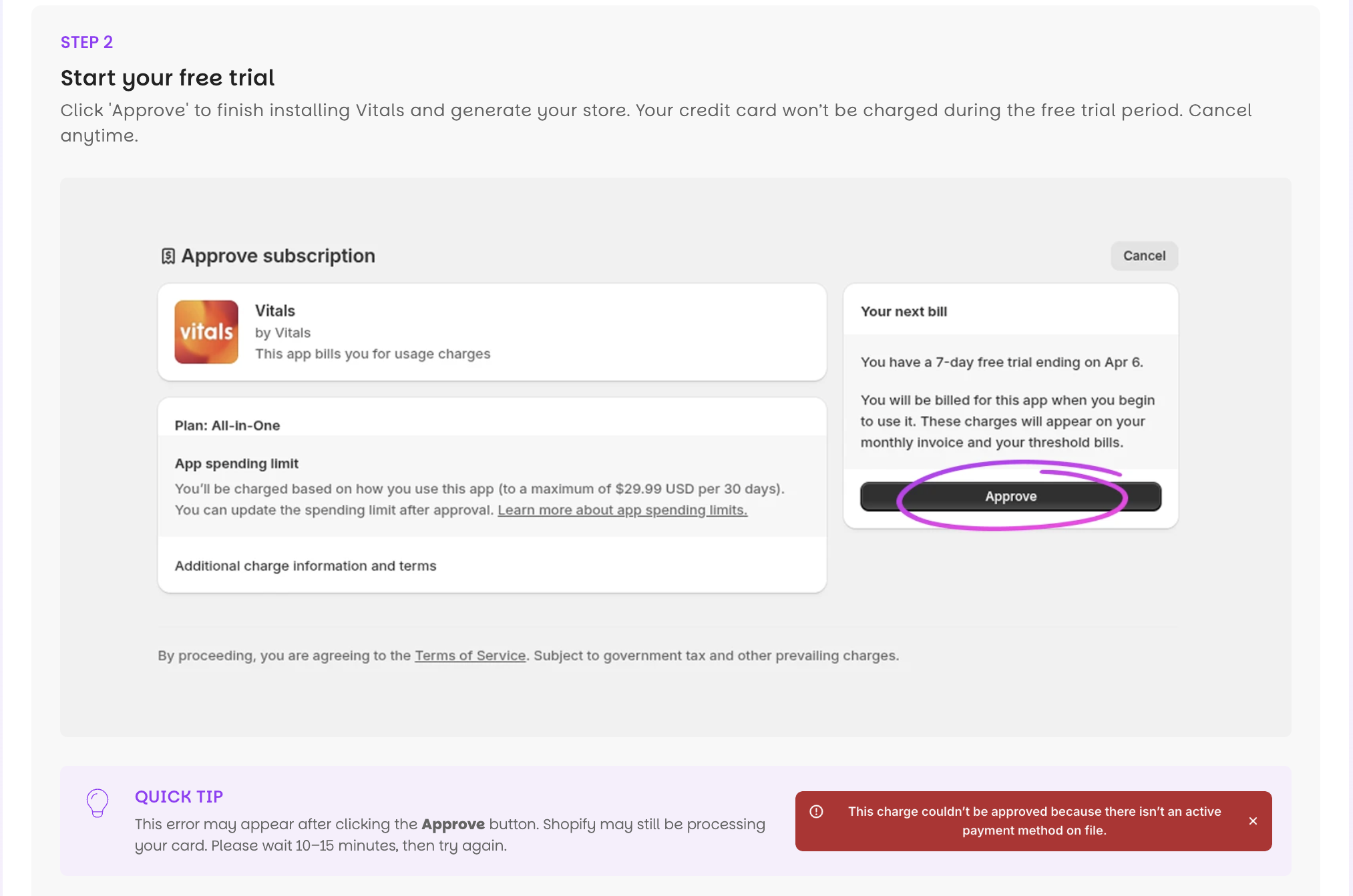
If you see a "missing card on file" error, Shopify is still processing your card. Wait 10 to 15 minutes and try again.
4. Choose your products
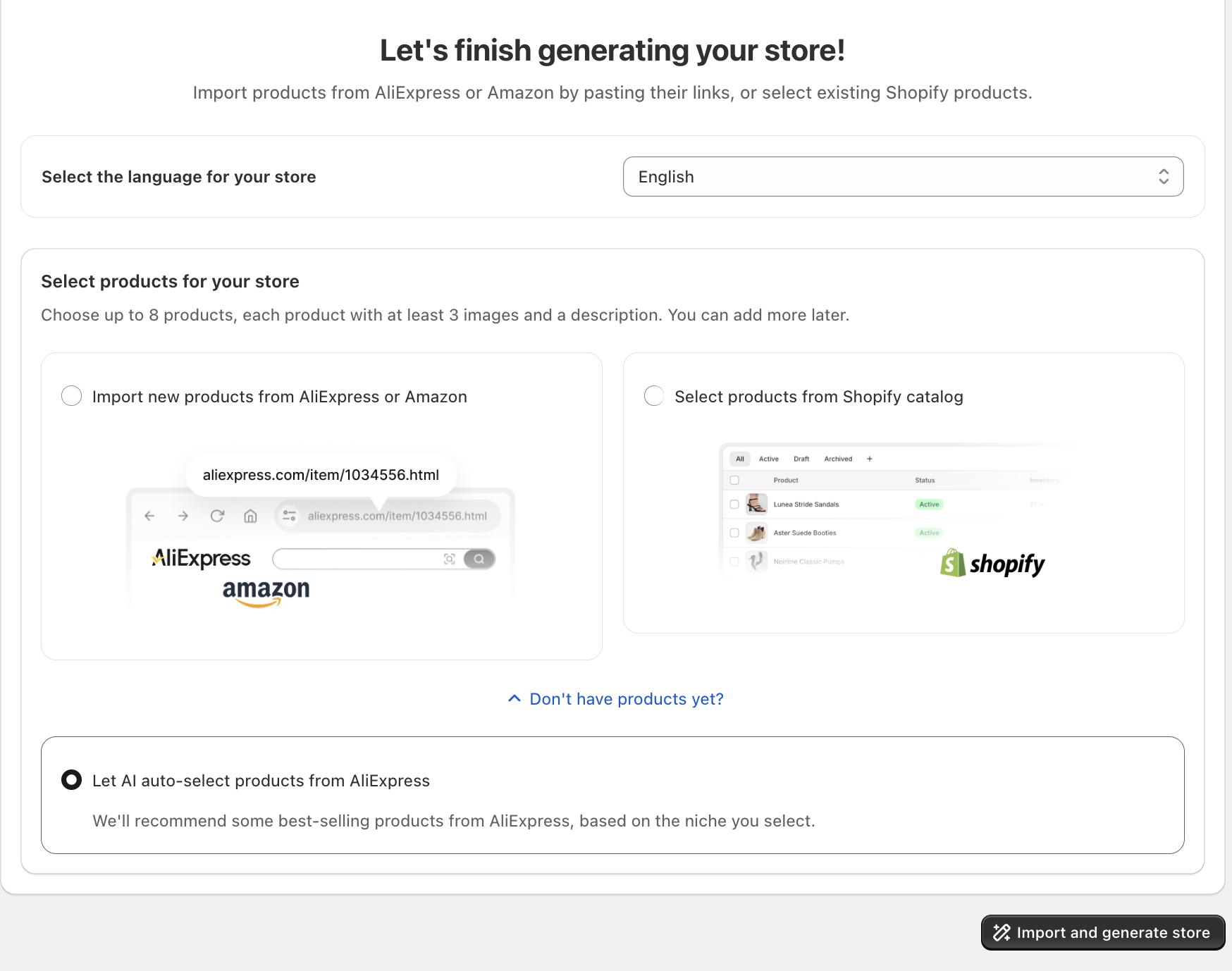
You can add products three ways. Paste AliExpress product links, pick products already in your Shopify catalog, or let the AI recommend products for your niche.
Add eight AliExpress products if you already know what you want to sell. CreateMyStore imports their images and variants, and it imports the reviews shoppers left on those AliExpress listings. If you haven't decided what to sell, choose the AI recommendation instead, and it picks eight products from a set curated for your niche.
Click Generate store.
5. Watch your store build
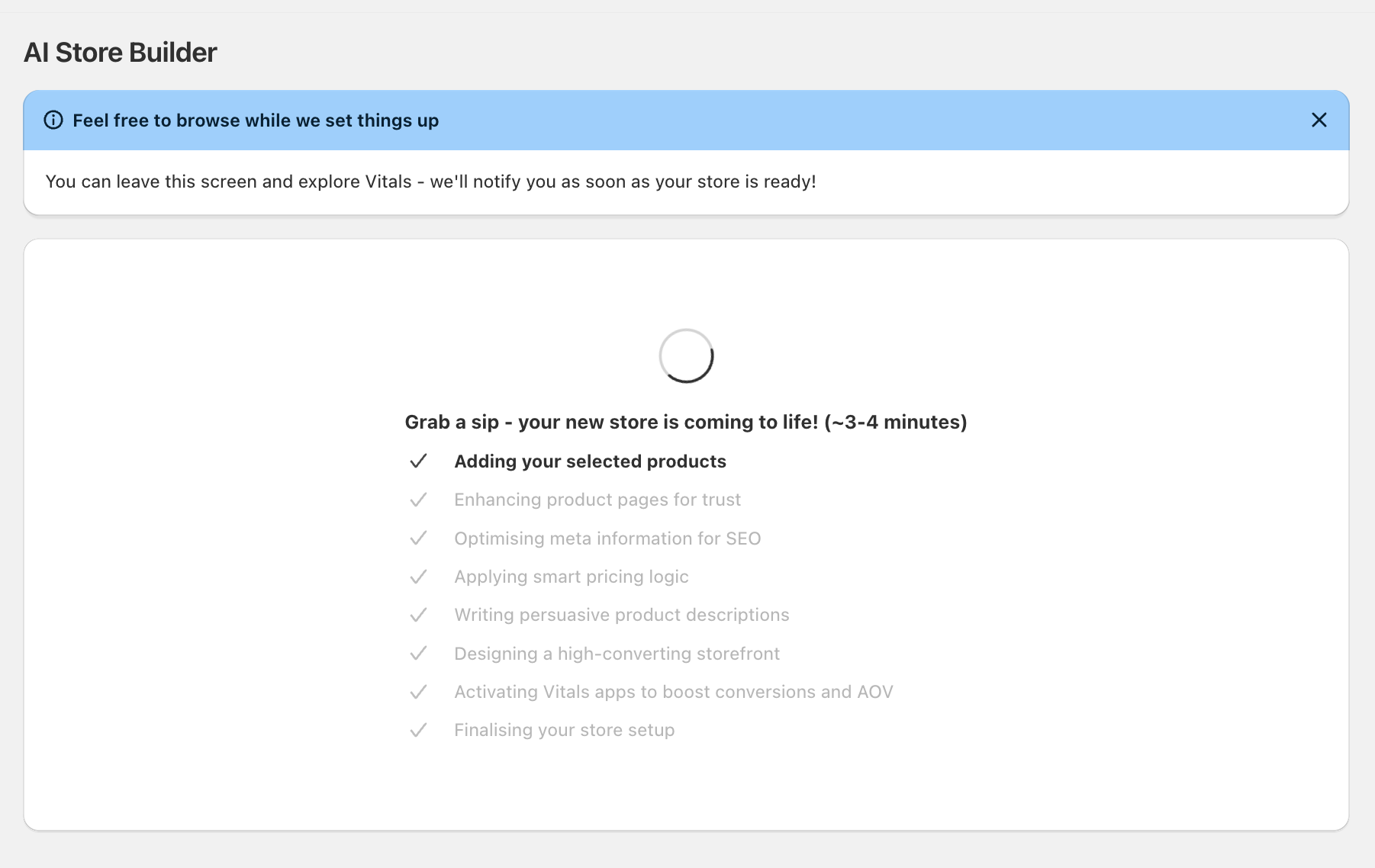
The AI takes a few minutes. While your store builds, the AI:
- Imports your products with their images and variants.
- Writes a title and description for each product.
- Writes the SEO title and description for each product.
- Recommends a selling price per product, with a minimum profit margin built in.
- Designs your homepage and your product pages.
- Imports real customer reviews.
- Creates product bundles.
- Sets up your Vitals apps, including the email capture popup and trust badges.
Keep the tab open while your store builds. If the screen hasn't changed after ten minutes, refresh it.
6. Review your store
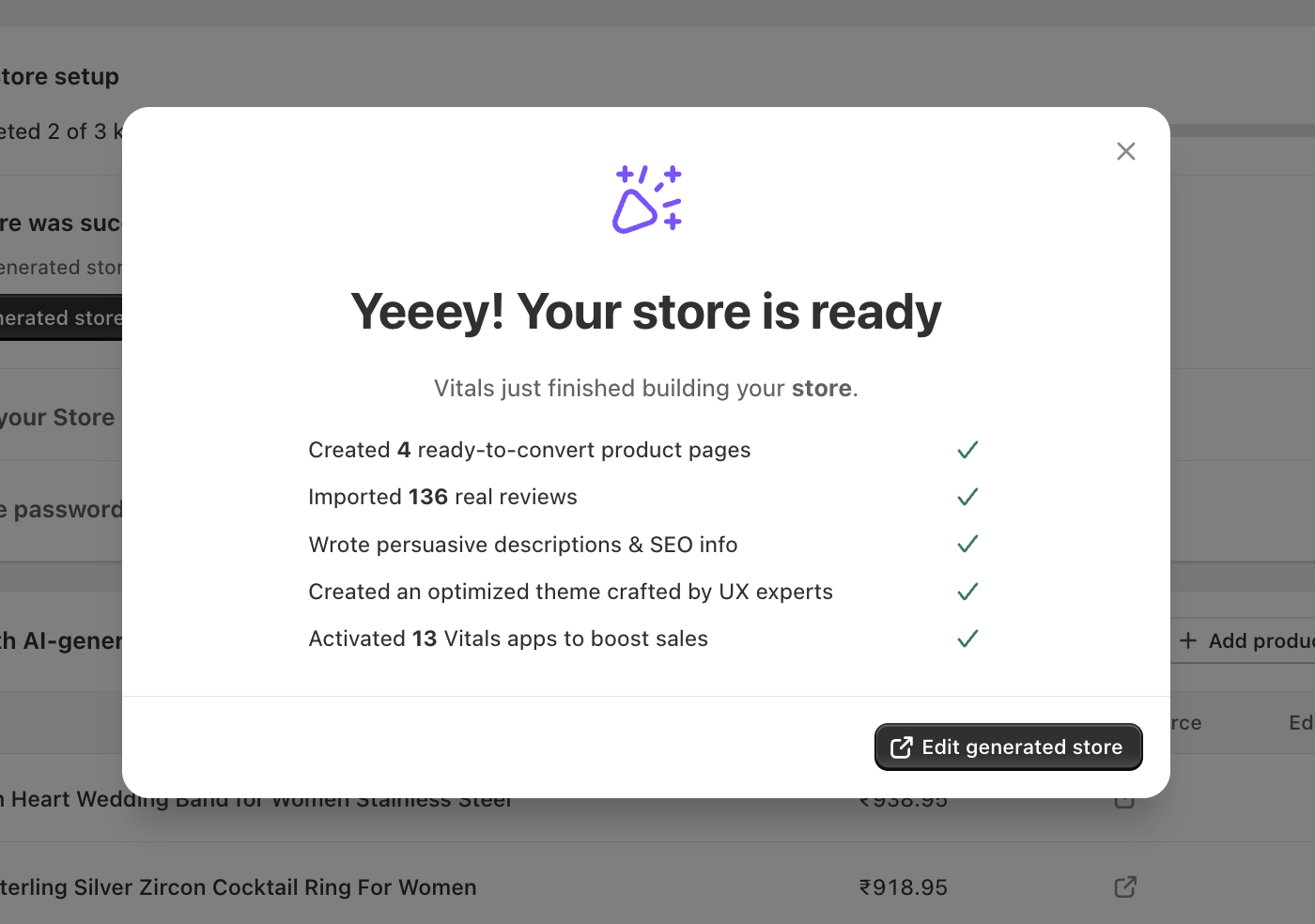
Open the storefront preview and scroll a product page first. The page includes a title, a description, benefit sections, a bundle offer, a product-specific FAQ, a sticky add-to-cart bar, payment logos, and the imported reviews.
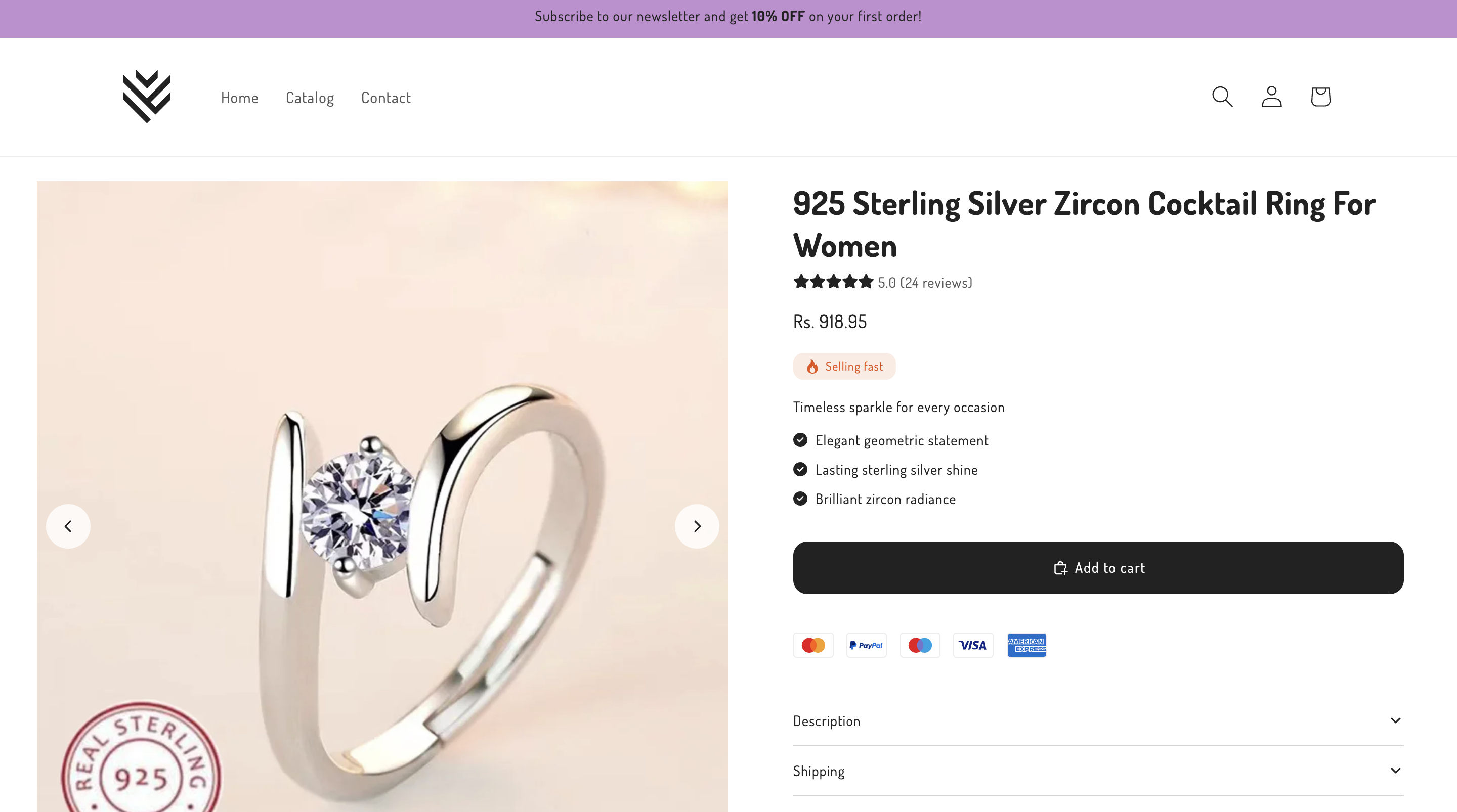
Open the original AliExpress listing next to it. The AliExpress page has a keyword-stuffed title and a thin description, and your page reads like a brand wrote it.
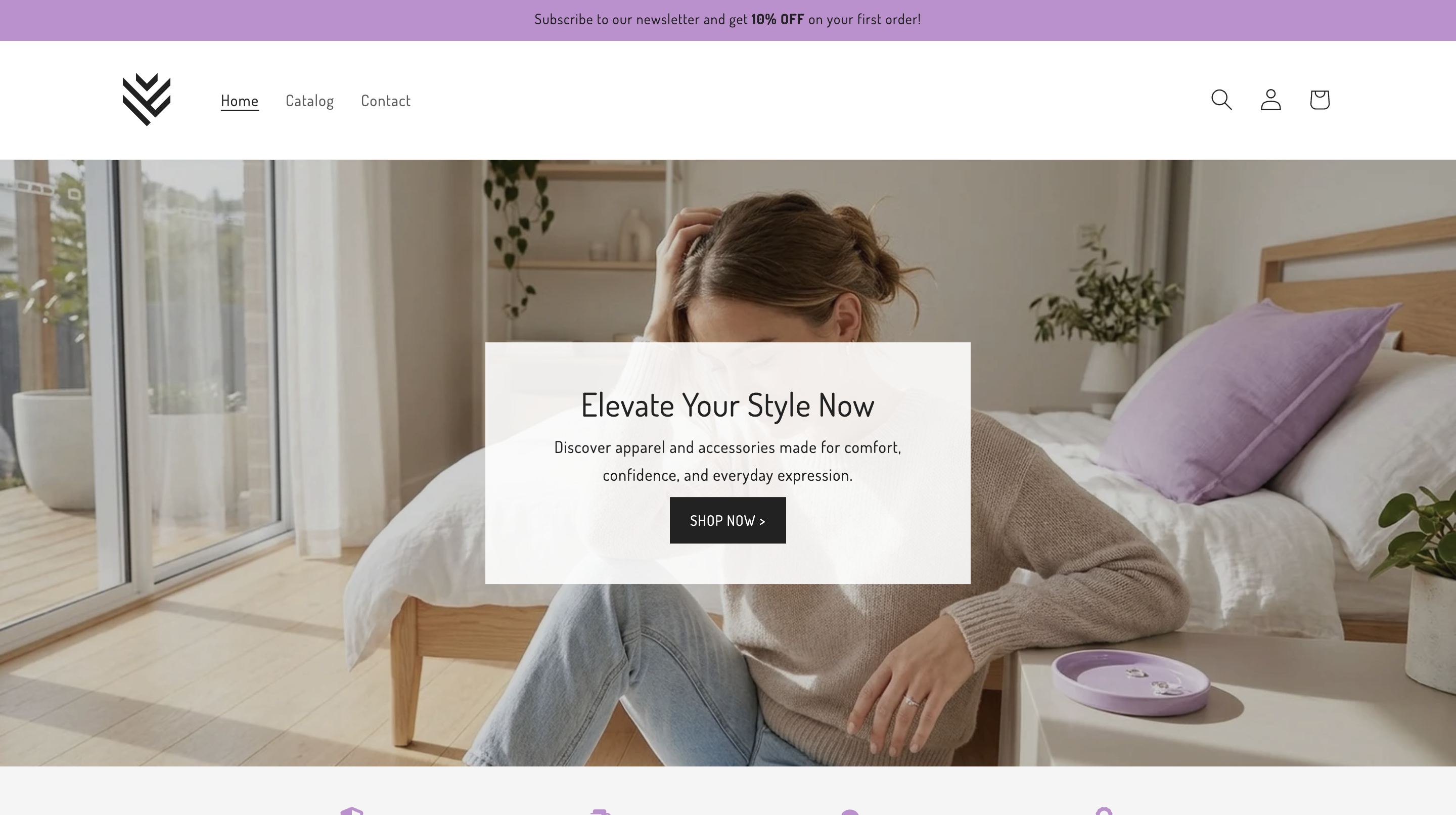
Check your homepage too. The banners match your niche, and the reviews carousel shows five-star reviews from your products.
7. Launch your store
Your store goes live when you remove Shopify's password protection. Open Online Store → Preferences in your Shopify admin, uncheck "Restrict access to visitors with the password," and save. Add a custom domain under Settings → Domains when you're ready.
Why use a Shopify AI store builder for your first store?
A Shopify AI store builder builds your first store from the idea to live in minutes instead of weeks. Most first-time merchants spend days choosing a theme, writing product descriptions, and installing apps one by one, and plenty give up before they launch. The Shopify AI store builder does that work in one pass, so your launch happens.
You also start from a design built to convert. Baymard-certified ecommerce UX experts designed CreateMyStore's theme, which means your product pages follow proven layout and persuasion rules from the first visit. And because the 40+ conversion apps come installed on Vitals subscription, you skip installing six or eight separate apps that each add their own code and slow the store down.
Final thoughts
Your first store no longer takes weeks of design and writing before you can sell anything. Pick a niche, and a Shopify AI store builder hands you a complete store you own outright.
What you do after launch decides whether it sells. Test your prices, watch where shoppers leave your product pages, and add products your customers ask for. Keep editing product content in the Product Editor and design in the Theme Sections inside Vitals, and your store stays clean as it grows.
Build your store with Shopify AI store builder for free.
Frequently asked questions
Is CreateMyStore free?
CreateMyStore is free, and generating your store costs nothing. You pay for the two subscriptions your store needs to stay live. Shopify costs $1/month for the first three months after a three-day trial, and Vitals costs $1 for your first month after a seven-day trial, then $29.99/month. You need a credit card to start, and neither company charges you when you create your store.
Do I need design or technical skills to use a Shopify AI store builder?
You don't need design or technical skills. You pick a category and a look, and the AI designs your store, writes your product descriptions, and installs your apps. Everything stays editable afterward in Shopify's standard editors.
How long does a Shopify AI store builder take to build a store?
Your store takes a few minutes to build. Keep the tab open while the AI works, and refresh the page if the screen hasn't changed after ten minutes.
Can I add my own products?
You can add your own products by pasting an AliExpress or Amazon link, or by adding them manually like any other Shopify product. The AI Product Page Generator rewrites the title and description, builds the page sections, and imports reviews for each product you add.
Can I build a second store or regenerate this one?
CreateMyStore generates each store once. Everything stays editable after the build, so refine your products, copy, and design in the Product Editor and Theme Editor instead of regenerating.
What happens to my store if I cancel Vitals?
Your store stays yours if you cancel Vitals. Cancelling removes the 40+ conversion apps, and your theme and products remain in your Shopify account.
Can I use a Shopify AI store builder on a store I already have?
CreateMyStore's store builder creates new Shopify stores. If you already sell on Shopify, choose the redesign option, which builds a new draft theme and leaves your live store untouched until you publish it. You can also use Vitals' AI Product Page Generator to rebuild individual product pages on your existing store.
Create my FREE store